
Reemplazo de batería del iPhone 13 mini

Repara el iPhone que ya tienes – y ahorra dinero y el planeta en el proceso.
Busca tu modelo de iPhone a continuación y sigue una guía de reparación de sustitución de batería paso a paso. (Cada guía también incluirá un enlace al kit de reparación correspondiente con todas las piezas y herramientas necesarias para completar la guía.)
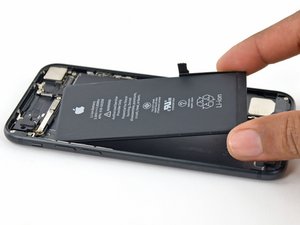
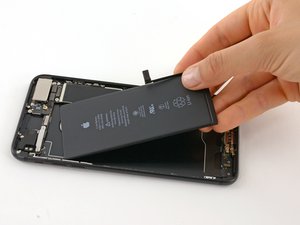
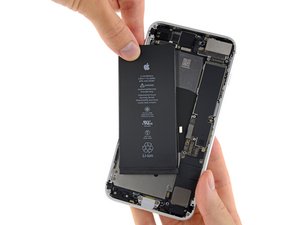
Sí, puedes sustituir la batería de tu iPhone tú mismo. iFixit proporciona guías de reparación paso a paso gratuitas para cada iPhone y vende kits de reparación DIY Battery Fix Kits para iPhones desde la serie 4 hasta la serie 15. Estos kits incluyen todas las herramientas y piezas necesarias para sustituir tu batería.
El proceso de reparación generalmente implica manejar adhesivo, tornillos, conectores y la pantalla, y es relativamente sencillo. Apple simplificó el proceso de sustitución de batería al hacer que la carcasa trasera de cristal del iPhone 14 fuera extraíble, de modo que no es necesario retirar la pantalla para acceder a la batería. Este diseño de "apertura por delante y por detrás" se convirtió en la norma con la serie de iPhone 16 (la batería del 16 también está asegurada por un nuevo adhesivo más fácil de reparar que se despega cuando pasa una corriente eléctrica a través de él).
Usar un kit de iFixit para sustituir la batería de tu iPhone tú mismo puede ahorrarte de 34 $ a 49 $ en comparación con los costes de reparación fuera de garantía de Apple, dependiendo de tu modelo. Los kits de sustitución de batería de iFixit cuestan de media unos 40 $, mientras que los kits para modelos más nuevos como el iPhone 16 cuestan alrededor de 55 $.
| Modelo | Coste de Apple (Fuera de garantía)^ | Coste de iFixit | Ahorro |
| iPhone SE | 69 $ | 29.99 $ | 39 $ |
| iPhone 7 | 69 $ | 29.99 $ | 39 $ |
| iPhone 7 Plus | 69 $ | 29.99 $ | 39 $ |
| iPhone 8 | 69 $ | 29.99 $ | 39 $ |
| iPhone 8 Plus | 69 $ | 29.99 $ | 39 $ |
| iPhone X | 89 $ | 39.99 $ | 49 $ |
| iPhone XS | 89 $ | 39.99 $ | 49 $ |
| iPhone XS Max | 89 $ | 39.99 $ | 49 $ |
| iPhone XR | 89 $ | 39.99 $ | 49 $ |
| iPhone SE 2020 | 69 $ | 31.99 $ | 37 $ |
| iPhone 11 | 89 $ | 36.99 $ | 52 $ |
| iPhone 11 Pro | 89 $ | 39.99 $ | 49 $ |
| iPhone 11 Pro Max | 89 $ | 39.99 $ | 49 $ |
| iPhone 12 | 89 $ | 46.99 $ | 42 $ |
| iPhone 12 Pro | 89 $ | 46.99 $ | 42 $ |
| iPhone 12 Pro Max | 89 $ | 44.99 $ | 44 $ |
| iPhone 12 mini | 89 $ | 44.99 $ | 44 $ |
| iPhone 13 | 89 $ | 39.99 $ | 49 $ |
| iPhone 13 Pro | 89 $ | 39.99 $ | 49 $ |
| iPhone 13 Pro Max | 89 $ | 44.99 $ | 44 $ |
| iPhone 13 mini | 89 $ | 39.99 $ | 49 $ |
| iPhone SE 2022 | 69 $ | 34.99 $ | 34 $ |
| iPhone 14 | 99 $ | 59.99 $ | 39 $ |
| iPhone 14 Plus | 99 $ | 49.99 $ | 49 $ |
| iPhone 14 Pro | 99 $ | 54.99 $ | 44 $ |
| iPhone 14 Pro Max | 99 $ | 54.99 $ | 44 $ |
| iPhone 15 | 99 $ | 49.99 $ | 49 $ |
| iPhone 15 Plus | 99 $ | 49.99 $ | 49 $ |
| iPhone 15 Pro | 99 $ | 49.99 $ | 49 $ |
| iPhone 15 Pro Max | 99 $ | 49.99 $ | 49 $ |
^ Estimaciones compartidas por Apple a noviembre de 2024.
Aunque el tiempo necesario puede variar según el modelo de iPhone y tu experiencia en reparaciones DIY, reparar la batería de tu iPhone tú mismo es viable. La reparación debería llevarte desde 30 minutos hasta un par de horas. Si te atascas, la comunidad de iFixit puede ayudarte.
Un agradecimiento especial a estos traductores:
100%
¡ Francisco Javier Saiz Esteban nos está ayudando a reparar el mundo! ¿Quieres contribuir?
Empezar a traducir ›
Ultimas 24 horas: 567
Ultimos 7 días: 4,375
Ultimos 30 días: 21,296
Todo El Tiempo: 669,925





21 comentarios
Is there an option to have my iPhone 14 battery removed but not replaced? My battery is damaged an Verizon will not accept my phone to trade in for credit towards an upgrade with the battery still in it
Sdogg - Contestar Compartir
Hi Sdogg,
You can use the iPhone 14 Battery Replacement guide to open your device and remove the battery. Hope this helps!
Manuel Haeussermann - Contestar Compartir
What should I do if I find that a screw from the iPhone I am replacing has been stripepd? It seems as though within the manufacturing of the phone, 2 of the screws for this guide are completely unscrewable.
What should I do???
Marc Tabailloux - Contestar Compartir
Hi Marc,
Sorry to hear your issue with the iPhone screws. There are several different options to try when dealing with stripped screw which are detailed in the "How to Remove a Stripped Screw" guide.
Manuel Haeussermann - Contestar Compartir
I have a refurbished iPhone XS and I attempted to replace the battery via your video. The instructions that came with the battery was useless so thank you! The adhesive tabs didn’t appear when I loosened the tape around the battery and I tried pulling on that but it kept tearing so I tried lifting one side and saw smoke! I checked out my options on your website but I’m concerned about using alcohol or high heat. Do I have another option or has it been irreversibly damaged in your opinion?
Thanks,
KT
KimT - Contestar Compartir