Saltar al contenido principal
Únete a la Comunidad de Reparación - Crear Cuenta

Qué necesitas

Este desmontaje no es una guía de reparación. Para reparar tu iMac Intel 20" EMC 2266, utiliza nuestros manuales de servicio .

  1. iMac Intel 20" EMC 2266 Teardown, iMac Intel 20" EMC 2266 Teardown: paso 1, imagen 1 de 2 iMac Intel 20" EMC 2266 Teardown, iMac Intel 20" EMC 2266 Teardown: paso 1, imagen 2 de 2
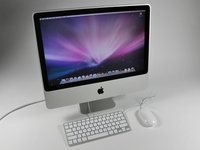
    • It's here!

    • We turned it on (only briefly, of course); the LCD display is beautifully clear, even though its resolution (1680x1050) is smaller than the 1920x1200 resolution found in the MacBook Pro 17" Unibody.

    • The speakers are also surprisingly loud and clear, given that the sound seemingly comes out of nowhere...

    • Feel free to comment on specific steps as we go. We'll do our best to accommodate any special requests for pictures.

    Pregunta a FixBot

    Agregar Comentario

  2. iMac Intel 20" EMC 2266 Teardown: paso 2, imagen 1 de 1
    • The ports:

    • Optical digital audio out / in

    • Four USB 2.0 ports

    • FireWire 800, 7 watts

    • Gigabit Ethernet

    • Mini DisplayPort (with support for DVI, dual-link DVI, and VGA)

    Pregunta a FixBot

    Agregar Comentario

  3. iMac Intel 20" EMC 2266 Teardown: paso 3, imagen 1 de 2 iMac Intel 20" EMC 2266 Teardown: paso 3, imagen 2 de 2
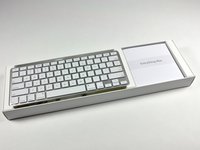
    • Look at those lovely cords. Yay for cords. Going wireless will add an extra $50 to your iMac's pricetag -- $20 for the mouse and $30 for the keyboard.

    • Apple should really have an Aluminum mouse. The included white plastic Mighty Mouse looks like something thrown in as an afterthought.

    • Our keyboard has no number pad, but in their online store Apple offers a "keyboard with numeric keypad" as a no-cost alternative to the standard one.

    • Apple confirmed that nothing from the PC world was used in the creation of this iMac, as evident by the "Everything Mac" slogan.

    Pregunta a FixBot

    Agregar Comentario

  4. iMac Intel 20" EMC 2266 Teardown: paso 4, imagen 1 de 2 iMac Intel 20" EMC 2266 Teardown: paso 4, imagen 2 de 2
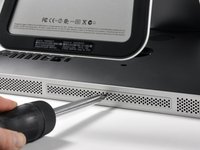
    • It has begun.

    • Unscrewing the single exterior screw -- the RAM cover. We brainstorm on what magical wonders may lie underneath...

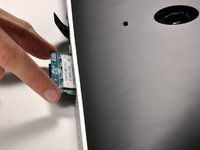
    • Behold: RAM!

    • Unfortunately, this is the extent of Apple-approved user-serviceability for this iMac.

    Pregunta a FixBot

    Agregar Comentario

  5. iMac Intel 20" EMC 2266 Teardown: paso 5, imagen 1 de 1
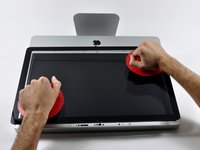
    • We use only the best parts around here. Our suction cups come straight from Maranello, Italy (in Ferrari red, of course).

    Pregunta a FixBot

    Agregar Comentario

  6. iMac Intel 20" EMC 2266 Teardown: paso 6, imagen 1 de 3 iMac Intel 20" EMC 2266 Teardown: paso 6, imagen 2 de 3 iMac Intel 20" EMC 2266 Teardown: paso 6, imagen 3 de 3
    • Fourteen magnets hold the front glass panel in place. Our suction cups were very handy for this operation.

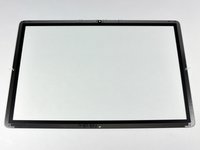
    • The glass panel comes off with a gentle pull straight up.

    • The suction cups made removing the glass surprisingly painless. However, getting dust or fingerprints on either the glass or LCD is a concern. You must make sure both the LCD panel and glass are completely clean prior to reassembly.

    • The rear of the glass has a metallic bezel, as well as seven alignment posts. The magnets that help hold the glass in place are in the iMac's aluminum front bezel.

    Pregunta a FixBot

    Agregar Comentario

  7. iMac Intel 20" EMC 2266 Teardown: paso 7, imagen 1 de 2 iMac Intel 20" EMC 2266 Teardown: paso 7, imagen 2 de 2
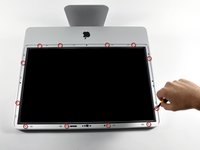
    • The display is less glossy now.

    • Twelve screws are exposed:

    • Eight 12.8 mm T8 Torx screws.

    • Four 24.6 mm T8 Torx screws.

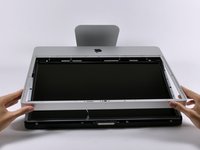
    • The front bezel then simply rotates up. The microphone cable must be disconnected before the bezel is entirely free.

    Pregunta a FixBot

    Agregar Comentario

  8. iMac Intel 20" EMC 2266 Teardown: paso 8, imagen 1 de 1
    • It almost looks like Tim Burton joined the iMac design team...

    Pregunta a FixBot

    Agregar Comentario

  9. iMac Intel 20" EMC 2266 Teardown: paso 9, imagen 1 de 2 iMac Intel 20" EMC 2266 Teardown: paso 9, imagen 2 de 2
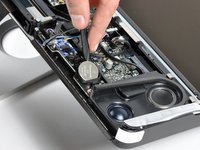
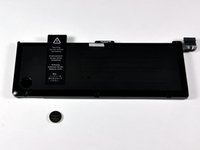
    • We wanted to see how the iMac clock battery (190 mAh) stacks up with the 17" Unibody's behemoth (12,820 mAh), so we put them next to each other:

    • 17" Unibody wins.

    Pregunta a FixBot

    Agregar Comentario

  10. iMac Intel 20" EMC 2266 Teardown: paso 10, imagen 1 de 2 iMac Intel 20" EMC 2266 Teardown: paso 10, imagen 2 de 2
    • Most components are buried beneath the LCD assembly. This isn't a new design for Intel iMacs, but is certainly not as convenient as the rear-accessible iMac G5.

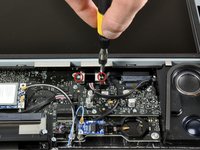
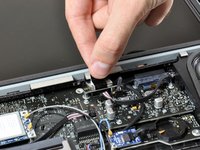
    • Unscrewing the two T6 screws securing the display data cable.

    • After removing the two screws, we pulled the connector straight up, wiggling back and forth as necessary.

    Pregunta a FixBot

    Agregar Comentario

  11. iMac Intel 20" EMC 2266 Teardown: paso 11, imagen 1 de 2 iMac Intel 20" EMC 2266 Teardown: paso 11, imagen 2 de 2
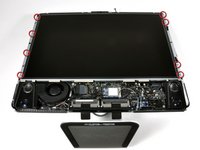
    • The LCD panel is held in place with eight 11.8mm T8 Torx screws.

    • The LCD in this iMac is not LED backlit, but uses the more traditional CCFL backlight.

    • There are five cables (four inverter cables and one temperature sensor) to disconnect before the LCD panel can be removed from the iMac.

    • This display is an AU Optronics M302EW02. The manufacture date shown on the back of the LCD is 09/04, that's probably the 4th week of 2009.

    Pregunta a FixBot

    Agregar Comentario

  12. iMac Intel 20" EMC 2266 Teardown: paso 12, imagen 1 de 1
    • Removing the desktop 320GB SATA hard drive.

    • After disconnecting the temperature sensor cables, we rotated the long black clip toward the drive to unlock it, then swung it to the side.

    • We then unplugged the SATA cables and pulled out the hard drive without removing any additional screws.

    • This screw-less design for the hard drive is nice, but unfortunately getting to this point requires removing 21 screws.

    Pregunta a FixBot

    Agregar Comentario

  13. iMac Intel 20" EMC 2266 Teardown: paso 13, imagen 1 de 3 iMac Intel 20" EMC 2266 Teardown: paso 13, imagen 2 de 3 iMac Intel 20" EMC 2266 Teardown: paso 13, imagen 3 de 3
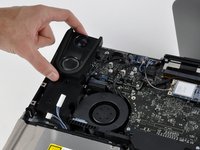
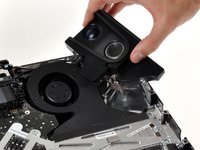
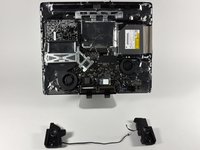
    • Each speaker is attached by one screw and one connector cable.

    • Only the right speaker needs to be removed to gain access to the logic board, but we removed them both.

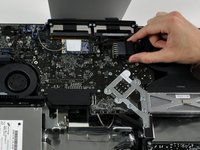
    • The Bluetooth board is the blue board in the top center.

    • The 802.11n card is on the right with two antenna wires running to it from below the logic board.

    Pregunta a FixBot

    Agregar Comentario

  14. iMac Intel 20" EMC 2266 Teardown: paso 14, imagen 1 de 3 iMac Intel 20" EMC 2266 Teardown: paso 14, imagen 2 de 3 iMac Intel 20" EMC 2266 Teardown: paso 14, imagen 3 de 3
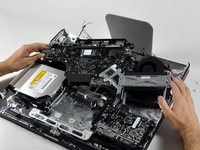
    • Removing the logic board.

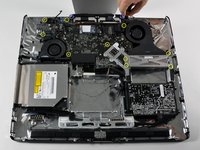
    • First off, let's disconnect 13 connectors.

    • Next, we remove 10 T10 Torx screws... (Second image)

    • ...and 2 T8 Torx screws.

    • It's out! (Third image)

    Pregunta a FixBot

    Agregar Comentario

  15. iMac Intel 20" EMC 2266 Teardown: paso 15, imagen 1 de 2 iMac Intel 20" EMC 2266 Teardown: paso 15, imagen 2 de 2
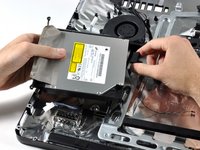
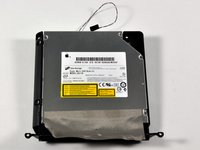
    • Apple's flat-panel iMacs have always been an interesting cross between a laptop and a desktop. This iMac features a laptop-style optical drive and RAM, but a desktop hard drive.

    • This is a 12.7mm SATA 8x double-layer SuperDrive.

    • As far as we know, this leaves the AppleTV as the only shipping Apple product with a PATA drive.

    Pregunta a FixBot

    Agregar Comentario

  16. iMac Intel 20" EMC 2266 Teardown: paso 16, imagen 1 de 2 iMac Intel 20" EMC 2266 Teardown: paso 16, imagen 2 de 2
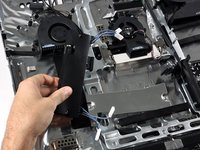
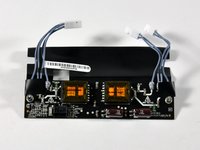
    • As we mentioned earlier, this iMac still uses an LCD with a CCFL backlight. This particular display features four backlights, each of which require their own high-voltage AC power.

    • All four are powered by a single large inverter.

    Pregunta a FixBot

    Agregar Comentario

  17. iMac Intel 20" EMC 2266 Teardown: paso 17, imagen 1 de 2 iMac Intel 20" EMC 2266 Teardown: paso 17, imagen 2 de 2
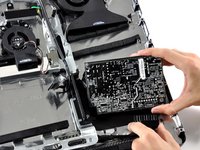
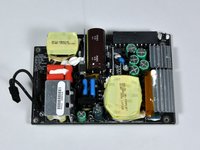
    • This is the power supply. If you're doing this at home, be very careful handling it, as capacitors can remain charged even after power has been disconnected from the computer.

    • This iMac isn't very colorful, internally or externally. However, the power supply (once removed) is surprisingly vibrant.

    Pregunta a FixBot

    Agregar Comentario

  18. iMac Intel 20" EMC 2266 Teardown: paso 18, imagen 1 de 2 iMac Intel 20" EMC 2266 Teardown: paso 18, imagen 2 de 2
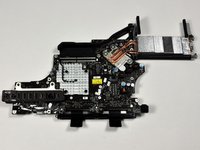
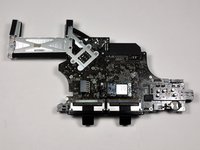
    • The large and awkward logic board.

    • The ports are all soldered directly to the logic board, and connect at a slight angle to fit the curvature of the iMac's rear housing.

    Pregunta a FixBot

    Agregar Comentario

  19. iMac Intel 20" EMC 2266 Teardown: paso 19, imagen 1 de 1
    • The heat sink directly above the 2.66 GHz Core 2 Duo processor.

    • The gray and black cable is a temperature sensor, one of at least six we've found in this iMac so far.

    • The processor appears to be socketed, but unfortunately there's a "Warranty void if removed" sticker that must be removed to access it.

    Pregunta a FixBot

    Agregar Comentario

  20. iMac Intel 20" EMC 2266 Teardown: paso 20, imagen 1 de 2 iMac Intel 20" EMC 2266 Teardown: paso 20, imagen 2 de 2
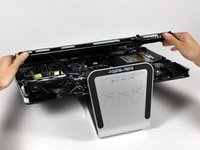
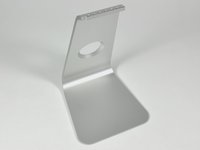
    • On the 20" iMac the stand is very integrated into the computer. Removing the stand requires you to first remove almost all internal components.

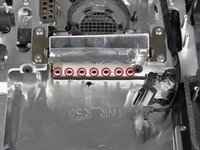
    • The stand is fastened to the housing with 7 T10 Torx screws.

    • The stand is very heavy and sturdy. Just the aluminum stand by itself weighs 33.3 ounces -- almost 70% of the weight of a MacBook Air.

    Pregunta a FixBot

    Agregar Comentario

  21. iMac Intel 20" EMC 2266 Teardown: paso 21, imagen 1 de 1
    Pregunta a FixBot

    Agregar Comentario

11Guía Comentarios

I'd like to see a guide for the replacement of the video card on the iMac Intel 20" using the iMac you used in this guide "iMac 20" Teardown". It is the exact same model I have.

These are really great guides!! I appreciate you doing them!!

Phuztone - Contestar Compartir

does anyone know if you can upgrade the processor in this model??

Realeyez' the pupil - Contestar Compartir

yes, but 2007 only with T9300 or T9500

Chris Müller - Contestar Compartir

Can you tell me if I can use D.C. Power instead of 110 ac?

riouxlm - Contestar Compartir

Wonderful teardown! I was able to remove the electronic guts and LCD of a broken aluminum imac thanks to this guide. Now I wonder what to do with an empty Aluminum case with stand. It's too thin for an aquarium. Any ideas?

twistedlot - Contestar Compartir

Agregar Comentario

Ver Estadísticas:

Ultimas 24 horas: 9

Ultimos 7 días: 79

Ultimos 30 días: 297

Todo El Tiempo: 647,058