
Saltar al contenido principal

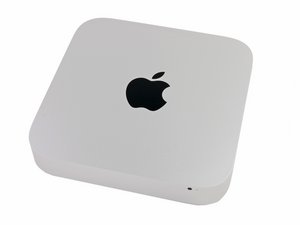
Lanzado el 23 de octubre de 2012. Procesador Core i5 o Core i7. Apple Fusion Drive.

Adding second hard drive

My late 2012 Mac mini came with the hard drive installed in the upper bay (the one that is on the 'bottom' when the mini is upside down). I want to install an SSD drive in the other bay but can’t find the proper hard drive mounting pins. Where can I get these?

Contestado! Ver respuesta Yo también tengo este problema

Es esta una buena pregunta?

Puntuación 3
Agregar un comentario

2 Respuestas

Solución Elegida

T8 TORX HARD DRIVE SCREWS - Apple Mac Mini A1347 Mid 2010 2011 2012

Apple part #922-9584

http://www.powerbookmedic.com/parts/922-...

https://www.ebay.com/itm/T8-TORX-HARD-DR...

Fue útil esta respuesta?

Puntuación 6

4 comentarios:

Thanks very much. Just what I was looking for. :-)

- de

@zarkov33 - Do you have all of the other needed parts? Here's the IFIXIT kit with the cable, rubber bushings and screws. It also has the needed tools. Mac mini Dual Drive Kit

- de

Thanks Dan,

As I've explained earlier, I am trying to install an SSD in the lower, second drive, bay. This does not necessitate anything other than a SATA cable (which I have) and the 2 mounting pins (which I need). Everything else is unnecessary as it does not require removing the logic board. Thanks for your input. Everyone has been very helpful.

- de

@zarkov33 - Just making sure ;-}

- de

Agregar un comentario

I suggest you buy this dual drive kit for your Mac mini, it has those pins you need and it comes with the tools needed too.

Mac mini Dual Drive Kit

Instalación del Kit de Disco Duro Dual del Mac Mini Late 2012

Imagen de All the hardware needed to a second hard drive to your 2011 or 2012 Mac mini.

Producto

Mac mini Dual Drive Kit

$26.99

Fue útil esta respuesta?

Puntuación 2

4 comentarios:

Thanks, but to add a second drive in the lower bay(closest to wifi shield) I don't need to remove the logic board. All I need are the 2 mounting pins.

- de

BTW, I already have the proper SATA cable.

- de

@zarkov33 The way I suggested is the best way to go thermal-wise. Your drive may not get the proper cooling where you want to put it so I am still suggesting you get that mounting kit so you can mount it correctly.

Plus, I have no idea where you are talking about putting this nor if it will work.

- de

I plan on adding the drive to the second drive bay (lower bay). I know it will work because the mini is designed to hold 2 drives. I've done it before.

- de

Agregar un comentario

Añadir tu respuesta

Tony estará eternamente agradecido.
Ver Estadísticas:

Ultimas 24 horas: 2

Ultimos 7 días: 7

Ultimos 30 días: 39

Todo El Tiempo: 767