
Saltar al contenido principal
Únete a la Comunidad de Reparación - Crear Cuenta

optimizing apps at startup

When starting up it begins optimizing apps and never quite finishes. After repeating this several times over a few days, it now begins the same way but in a short time it blinks and then goes dark.

Contestado! Ver respuesta Yo también tengo este problema

Es esta una buena pregunta?

Puntuación 3
1 comentario

I found a solution that need no flashing.My s6 edge plus behaved same way.I left like that because I did not want to lose some applications. On the third day it booted normal.

- de

Agregar un comentario

4 Respuestas

Solución Elegida

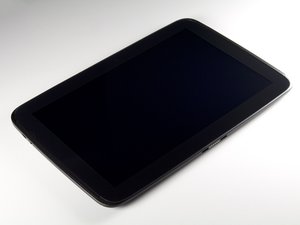
This could be a memory glitch . Holding a bad boot in the memory and booting off the same boot cycle. open the tablet and disconnect the battery then reconnect and reassemble and reboot . This video will help you disassemble the tablet the battery removal is not necessary just disconnect the battery and reconnect .Hope this helps

Fue útil esta respuesta?

Puntuación 2
Agregar un comentario
Respuesta Más Útil

If you have Zedge, this is what is causing it.

I had also done other updates and thought it was Android System WebView as it started right after that had updated. Then I read it's Zedge and I've had that program for almost 2 years. I had restarted phone and was again stuck on "Optimizing", but for me each time it has been a good 20 minutes.

I uninstalled Zedge and it started right up, no Optimizing. Thanks for everyone who figured this out!

Fue útil esta respuesta?

Puntuación 4

8 comentarios:

OMG thank you soooo much! It worked and I didn't lose my ring tones! I guess when I'm ready to change them I'll just reinstall then uninstall when I'm finished

- de

Yes, Zedge is the culprit, just uninstall, reboot and you are good to go.

- de

Worked! Thanks

- de

Genius once I uninstalled Zedge the optimizing 1 of 1 was gone this really worked thanks a bunch

- de

I uninstalled Zedge and the phone still goes into Android starting 1 of 1

- de

Mostrar 3 comentarios más

Agregar un comentario

I disconnected the battery, then recharged completely. The nexus started back up like it should. However, the screen does not respond to touch. Yikes! I must have messed something up.

Any advice?

Fue útil esta respuesta?

Puntuación 0
Agregar un comentario

I know this is a long time ago,but…

Ensure that the ribbon cables you disconnected to replace the battery are fully and properly reinserted.

Fue útil esta respuesta?

Puntuación 0
Agregar un comentario

Añadir tu respuesta

David Lovin estará eternamente agradecido.
Ver Estadísticas:

Ultimas 24 horas: 1

Ultimos 7 días: 4

Ultimos 30 días: 34

Todo El Tiempo: 17,061