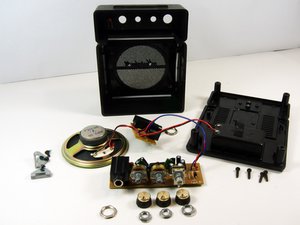
El amplificador no se enciende
"Todo está conectado, ¡pero no ocurre nada!"
La batería está mal instalada
Asegúrate de que los terminales de la batería positivo y negativo coincidan con los símbolos + y - del interior del compartimento de la batería.
Batería agotada
Sustitúyela por una batería de 9V nueva.
No se enciende con alimentación de CA
Las conexiones pueden estar sueltas. Usa un voltímetro para comprobar si hay corriente.
El amplificador no produce sonido
"Recibe alimentación, ¡pero mi guitarra no hace nada!"
La guitarra puede estar mal conectada
Asegúrate de que estás usando los cables adecuados y que están conectados a la toma "input" del amplificador.
La guitarra no funciona correctamente
Prueba a usar otra guitarra con el amplificador o utiliza la guitarra en otro amplificador para averiguar qué dispositivo tiene el problema.
Componente roto en la placa de circuito
Hay muchas piezas en la placa que, si se rompen, podrían causar la falta de sonido. Consulta esta guía para obtener más detalles.
Los auriculares no funcionan
"He conectado mis auriculares, pero no obtengo sonido por ellos"
Los auriculares están sueltos
Asegúrate de que tienes los cables o adaptadores adecuados.
Componente roto en la placa de circuito
Hay muchas piezas en la placa que, si se rompen, podrían causar la falta de sonido. Consulta esta guía para obtener más detalles.
El altavoz emite un siseo
"¡El siseo me molesta al tocar!"
El altavoz está defectuoso
Consulta esta guía para sustituir el altavoz.
Componente roto en la placa de circuito
Hay muchas piezas en la placa que, si se rompen, podrían causar un siseo. Consulta esta guía para obtener más detalles.
Los mandos no funcionan
"Giro los mandos, pero el sonido no cambia."
Potenciómetros en mal estado
Consulta esta guía para probar y sustituir los potenciómetros.
Componente roto en la placa de circuito
Hay muchas piezas en la placa que, si se rompen, podrían provocar que los potenciómetros no funcionen correctamente. Consulta esta guía para obtener más detalles.

Equipo

University of Maryland, Team 1-1, Shastany Fall 2013 Miembro de University of Maryland, Team 1-1, Shastany Fall 2013
UMD-SHASTANY-F13S1G1
Miembros de 3
60 Guías creadas

10 comentarios
Hi everybody,
I have a problem with my MS-2. It turns on but produces no sound. I took it apart but visually all components and connections seem fine. I haven't tested them, and I'm not sure what I should test. I see that there is a link to a guide, on this page, but the link doesn't work. Did anyone experience the same problem ?
Thank you for your help !
ziuthre - Contestar Compartir
Hi Ziuthre, i have the same problem with mine, the led turns on to, but makes no sound at all. some time, a friend, conect it a 12V adapter on it, and.... so, if you have any information about it, please let me know at teratossiete@hotmail.com... same if i know something... thx
Luis Aguirre - Contestar Compartir
Links are explicitely leading to an error404 page. I mean the page isn't missing, the link is built to show up this 404 page, so I think the guide's never been written :(
"http://www.ifixit.com/404"
agapoffa - Contestar Compartir
The tone knob on my Ms-2 is stuck, I can't move it. What do I have to do?
Sander Lijster - Contestar Compartir
Gently prise off tone knob with small flat end screw driver. Working your way round till it pops off.
Remove 10mm lock nut with socket. Should only be finger tight so should come off easily. With the amp lying on its back squirt a very small amount of penetrating oil into the shaft / switch. Gently and carefully push the shaft / switch to the side so that oil can work it’s way around. Leave for a minute or two.
Now with a flat ended screw driver (about 7”long for leverage) carefully but firmly try to turn the switch. Should come free at this point.
Mine was stuck for over 10years and it freed up easily. Wipe away any excess oil and reassemble.
Ken - Contestar Compartir