Wiki con Contribuciónes de Estudiantes
Esta wiki ha sido creada por un increíble grupo de estudiantes de nuestro programa educativo.
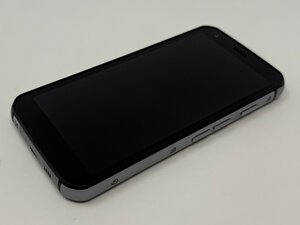
Si la batería de tu CAT S62 pierde carga extremadamente rápido o no mantiene la carga, sigue esta página para conocer posibles soluciones.
Las aplicaciones en segundo plano están agotando la batería
Las aplicaciones que se ejecutan en segundo plano pueden consumir una cantidad significativa de batería, lo que puede causar que la batería del dispositivo se agote rápidamente.
Método 1: Cerrar aplicaciones recientes
- Toca el botón cuadrado en la parte inferior derecha de la pantalla.
- Para cerrar una aplicación, desliza hacia arriba sobre su miniatura.
- Para cerrar todas las aplicaciones, busca una opción como «Borrar todo» o «Cerrar todo» y tócala.
Método 2: Forzar la detención de una aplicación
- Ve a Ajustes.
- Toca en Aplicaciones y notificaciones.
- Toca Ver todas las aplicaciones.
- Desplázate hacia abajo y selecciona la aplicación que quieres cerrar.
- En la página de información de la aplicación, toca «Forzar detención» y confirma tocando «Aceptar».
Brillo de pantalla alto
- Desliza hacia abajo desde la parte superior de la pantalla para abrir el menú desplegable.
- Busca el cursor de brillo y desliza hacia la izquierda para bajar el brillo.
Funciones innecesarias ejecutándose en segundo plano
- Desliza hacia abajo desde la parte superior de la pantalla para abrir el menú desplegable.
- Busca los interruptores de Wi-Fi, Bluetooth u otros y tócalos para desactivarlos. Los iconos deberían pasar de color a gris.
Modo Ahorro de batería desactivado
Método 1: Menú desplegable
- Desliza hacia abajo desde la parte superior de la pantalla para acceder al panel de ajustes rápidos.
- Toca el icono de la batería para activar el Ahorro de batería.
Método 2: Ajustes directos
- Ve a Ajustes.
- Busca la pestaña de batería.
- Busca la opción Ahorro de batería y toca «Activar».
Software desactualizado
- Abre el menú Ajustes. Puedes hacerlo desde la pantalla de inicio deslizando hacia arriba para ver todas las aplicaciones, y luego buscando y tocando el icono de «Ajustes».
- Desplázate hacia abajo y selecciona «Sistema».
- Toca en «Avanzado» dentro del menú Sistema.
- Selecciona «Actualización del sistema».
- Toca «Buscar actualizaciones» o espera a que el teléfono comience a buscar actualizaciones disponibles automáticamente.
- Sigue las instrucciones que aparecen en pantalla si se encuentra una actualización.

Equipo

Utah Tech University, Team 1-1, McMurrin Fall 2025 Miembro de Utah Tech University, Team 1-1, McMurrin Fall 2025
UTAHTECH-MCMURRIN-F25S1G1
Miembros de 3
72 Guías creadas

0 comentarios