


Mi Problema
The speakers were sounding horrible, voices sounded like the people involved had a piece of plastic wrapped around their mouths.
Mi Solución
It went surprisingly smooth, the iFixit guide was very specific. Unfortunately the guides never say how you should put it back together. Well, it does, it says: just do everything in reverse. But it doesn't specify any tricks how to:
1. put the mother board back in its place, this is very tricky as all the connectors need to be pushed outwards at the same time to avoid having some connectors trapped underneath the mother board
2. Some connectors were very hard to put back into their slots, especially the keyboard ribbon cable. It would have been nice if the guide would mention how to put each connector back into their slot.
Mi Consejo
When putting the mother board back, triple check that none of the connectors are trapped underneath the mother board. If you find out later, you will have to start all over again.
Also, when you have to put back the paper-like ultra thin ribbon cable for your keyboard, use a piece of tape to help pull the ribbon in. I found this solution somewhere on Google and it worked like a charm. Without tape I wouldn't have been able to put it back in.
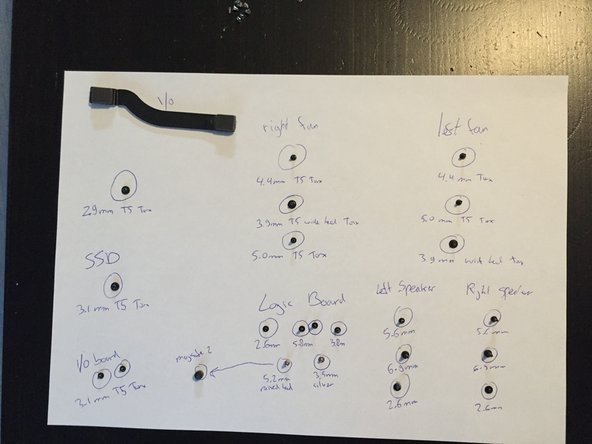
Finally, I recommend keeping track of the screws using a sheet of paper on which you write the names of the screws (which you will find in the guide). There are many different kinds of screws inside the MacBook, and if you lose track of them you will be unable to put the thing back together.


0 comentarios