Saltar al contenido principal
Únete a la Comunidad de Reparación - Crear Cuenta

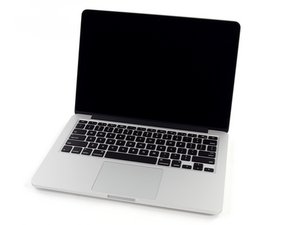
Procesador Intel de doble núcleo modelo A1502 / 2.4, 2.6 o 2.8 GHz / Lanzado en octubre de 2013

Display got boot-loop with screen artifacts

Hi there,

3 months ago my old 13” MacBook Pro late 2013 with Retina display got into a boot-loop with screen artifacts I had turn off/ or reboot again & again… The trouble came after 2-3 weeks of heavy use. I often had to turn off my MacBook then restart 8 hour later! Sometimes step by step clean NVRAM/SMC method works sometimes it doesn't...sometimes just turns off by 2-3 days and my system returns to normal. I think my logic board is broken :(

Do you have any solution?

Block Image
Contestado! Ver respuesta Yo también tengo este problema

Es esta una buena pregunta?

Puntuación 0

Agregar un comentario

1 Respuesta

Solución Elegida

From the sounds of it your system is over heating! But given its age your battery maybe the issue as well.

Let’s first remove the battery question. Install this gem of an App it will allow you to see the battery’s state CoconutBattery take a screen snapshot of the Apps main window pasting it here for us to see.

The next action is to install this great app so you can monitor your systems thermals and fan TG-Pro let’s see what it tells us, again post a snapshot when things are just about to fail.

Fue útil esta respuesta?

Puntuación 1

2 comentarios:

acctualy battery is services circle count is 935 on going, last night i forgot shutdown my macbook...more than 12 hour on in morning i got my mac is hot and dead condition, magsafe plug in and hdmi plug to external monitor....i have tried NVRAM/SCM on and off for a few minutes but it doesn't work! the macbook still keeps on boothloop with screen artifacts

- de

@argaamalaarifin - sorry guy it’s time for a new battery! The reason the system, charger and the MagSafe plug and cord are hot is the power being pumped into the system is not able to be held by the battery so it only had one choice! Radiate heat!

Here’s the needed battery MacBook Pro 13" Retina (Late 2013-Mid 2014) Battery and here’s the guide Reemplazo de la batería de MacBook Pro 13" con Pantalla de Retina Finales de 2013

You may also need a new charger and the MagSafe outlet as the heat has likely damaged them as well MacBook Pro 13" Retina (Late 2013-Early 2015) MagSafe 2 DC-In Board

- de

Agregar un comentario

Añadir tu respuesta

Arga Amala Arifin estará eternamente agradecido.
Ver Estadísticas:

Ultimas 24 horas: 0

Ultimos 7 días: 5

Ultimos 30 días: 22

Todo El Tiempo: 261