
Saltar al contenido principal
Únete a la Comunidad de Reparación - Crear Cuenta

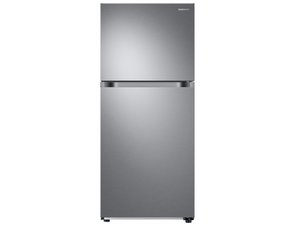
Refrigeradores fabricados por Samsung. Modelo RF30BB6200QLA SE APAGA NO ENFRIA MÁS

Freezer not fully freezing...

I have Samsung RF260BEAESR/AA-05 fridge/freezer. the led display shows -2 (for freezer) and 37 (for fridge) degrees….but freezer isn’t that cold to keep everything frozen (ice tray not fully frozen, ice cream are soft, etc). this whole issue happened after we had the power outage few weeks ago…and i have reset it few times, same results….even i had replaced the evap motor fan in freezer…same result. There is no error code at all since we got it. So what should i do next?? (I had thought of replacing the temperature sensor(?) that is located in the ceiling of the freezer, but it is not serviceable by any standard, but I had seen somewhere where you could buy other sensor and cut/splice the old one out and put new one in, etc…or is it the circuit board, eh??) The fridge is almost 2 years old…

Contesta esta pregunta Yo también tengo este problema

Es esta una buena pregunta?

Puntuación 0
Agregar un comentario

1 Respuesta

Respuesta Más Útil

Hi,

Here’s the service manual for the refrigerator.

Go to p.47 to view how to get into the diagnostic test mode so that all the functions can be checked.

There are also troubleshooting flowcharts that will help as well, depending on the error code that may be displayed by the diagnostic tests.

It also has the specifications for the temp sensor (see p.58), so that you can check if it has the correct resistance at the specified temp and where this can be checked (see p.64 for freezer sensor).

Hopefully this is of some help.

Fue útil esta respuesta?

Puntuación 1

2 comentarios:

Thanks for getting back to me with the service manual...as I did the self diagnosis as noted in the manual twice, and there is no error pops up on the display....

- de

@rickkrakora

Place an appropriate thermometer in the freezer and check what temp it shows.

Did you check the resistance of the freezer sensor as shown in the manual to see if it corresponds to the display reading?

- de

Agregar un comentario

Añadir tu respuesta

rickkrakora estará eternamente agradecido.
Ver Estadísticas:

Ultimas 24 horas: 0

Ultimos 7 días: 4

Ultimos 30 días: 29

Todo El Tiempo: 1,174
