Esta traducción la ha hecho un programa y todavía no la ha revisado nadie. ¿Hablas este idioma? Échale un vistazo.
Introducción
Esta guía te permitirá extraer y sustituir la batería del interior de la Logitech Circle. Esta guía es bastante sencilla de seguir, ya que solo hay unos pocos tornillos entre tú y la batería. Sin embargo, asegúrate de manejar la Logitech con cuidado, ya que el conjunto de la batería y la lente está conectado a la base del círculo mediante un cable flexible que se rompe con relativa facilidad.
Qué necesitas
-
-
-
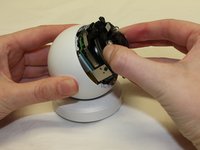
Introduce la herramienta de apertura de plástico bajo la lente circular negra para abrirla suavemente.
 Pregunta a FixBot
-
-
-
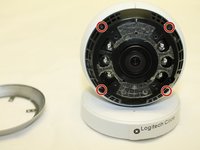
Quita los cuatro tornillos Phillips #0 de 3 mm que sujetan el primer anillo.
-
-
-
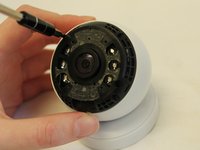
Quita los cuatro tornillos Phillips #0 de 3 mm que sujetan el segundo anillo.
-
-
-
-
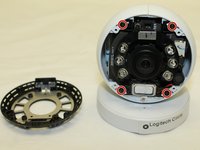
Quita los cuatro tornillos Phillips #0 de 3 mm que sujetan el anillo final. No retires el conjunto de lente/batería todavía.
-
-
-
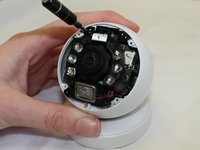
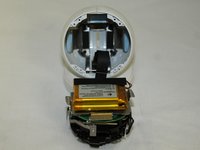
Retira con cuidado el conjunto de la lente y la batería de la base del círculo, teniendo cuidado con el cable plano.
-
-
-
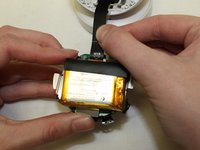
Tira suavemente del cable plano para soltarlo del conjunto de la lente y la batería.
-
-
-
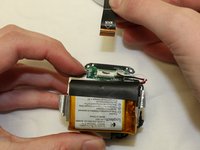
Retira la batería usando una herramienta de apertura de plástico. La batería está fijada con cinta adhesiva y podrás abrirla con movimientos de palanca suaves.
-
-










Para volver a montar tu dispositivo, sigue estas instrucciones en orden inverso.
Cancelar: No complete esta guía.
6 personas más completaron esta guía.

Equipo

University of Maine, Team S1-G4, Diaz Fall 2017 Miembro de University of Maine, Team S1-G4, Diaz Fall 2017
UMAINE-DIAZ-F17S1G4
Miembros de 3
27 Guías creadas
21Guía Comentarios
What about circle wireless batter with the unscrewBle lens? I keep getting error in set up that the battery is too low to proceed.
I charged only the battery portion all day. Stil. Same results
Did you figure out the battery?
Where did you buy the battery? I can’t find something to replace it with :(
I measured my battery and it is 40mm x 14mm x 30mm. The space for the battery looks like I can fit something as long as 45mm. I can not find anything in the US. Going to try these: https://www.ebay.com/itm/3-7V-1200mAh-10.... Pretty annoying that I can not find something to drop in. The most challenging part of this repair is going to be wiring these two Lipos together properly. Does anyone know the voltage of the 3 wires? My battery is completely dead so I cannot get a voltage reading. I am going to have to plug the camera in, plug the battery connector in and get the voltage from there :)
Hey, did you manage to make this work? I want to order some battery and try the same thing. I understand that you need 2 from the pictures. How are they tied together? You can not see that from this tutorial.
