Preguntas populares del foro
Haz una preguntaNo hay preguntas. ¡Sé el primero en hacer una pregunta!
Información general
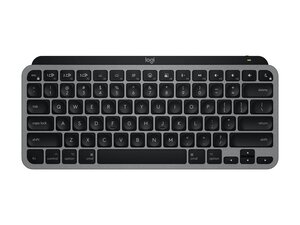
El MX Keys Mini for Mac es un teclado compacto diseñado para la productividad de los creadores en macOS, con una disposición de teclas dedicada para Mac y emparejamiento multidispositivo. Cuenta con el mecanismo de tijera de perfil bajo Perfect Stroke de Logitech para una escritura silenciosa y precisa, y una retroiluminación inteligente que se adapta a la luz ambiental. El chasis utiliza materiales duraderos, como una placa superior de aluminio y una base de plástico reforzado para una estabilidad a largo plazo. Sus características clave incluyen carga USB-C, conectividad Bluetooth Low Energy y compatibilidad con Logi Options+ para la personalización.
Identificación
El Logitech MX KEYS MINI FOR MAC se puede identificar por el número de modelo (M/N YR0084). La etiqueta del modelo se encuentra en la parte inferior del teclado; las SKU comunes incluyen 920-012644 (Gris espacial) y 920-010389 (Gris pálido). Esta etiqueta enumera el número de modelo (M/N), el número de pieza (P/N) y el número de serie (S/N).
Especificaciones
- Factor de forma: Mini compacto (sin teclado numérico) con diseño dedicado para Mac
- Modelo / SKU: 920-012644 (Gris espacial), 920-010389 (Gris pálido); los MPN coinciden con las SKU
- Tipo de interruptor: Mecanismo de tijera de perfil bajo Logitech Perfect Stroke (domo sobre tecla)
- Conectividad: Bluetooth Low Energy (Easy-Switch para hasta 3 dispositivos), compatible con Logi Bolt
- Batería: Batería de polímero de litio recargable, carga USB-C; autonomía típica de hasta 10 días con retroiluminación, hasta 5 meses con la retroiluminación apagada
- Retroiluminación: Iluminación inteligente con sensores de proximidad y sensor de luz ambiental; niveles de brillo ajustables
- Materiales: Placa superior de aluminio con chasis de ABS/plástico reforzado y teclas mate para mayor durabilidad
- Carga/Puerto: Puerto USB-C para carga y funcionamiento con cable mientras está conectado
- Compatibilidad: Diseñado para macOS/iPadOS/iOS con leyendas específicas de Mac; personalizable a través de Logi Options+
- Artículos incluidos: Teclado MX Keys Mini for Mac, cable de carga USB-C, documentación (el contenido exacto puede variar según la región)
Resolución de Problemas
Los fallos comunes relevantes para la reparación incluyen fallos en la batería (el teclado no se enciende ni se carga), mal funcionamiento de la retroiluminación y fallos en teclas individuales debido a suciedad o a un mecanismo de tijera dañado. Diagnostica el problema verificando la carga y el cable de carga, alternando/emparejando Bluetooth o Logi Bolt, retirando las teclas para inspeccionar/limpiar los mecanismos de tijera subyacentes y probando la respuesta de las teclas en otro dispositivo o con software de diagnóstico.
Para obtener ayuda adicional con la resolución de problemas, visita: https://support.logi.com: soporte de productos, descargas y opciones de contacto para el MX Keys Mini for Mac.
Información adicional
Información de garantía
Garantía limitada de hardware (normalmente 1 año; la duración varía según la región). Consulta el soporte de Logitech para conocer los términos específicos de cada región.


