Preguntas populares del foro
Haz una preguntaNo hay preguntas. ¡Sé el primero en hacer una pregunta!
Información general
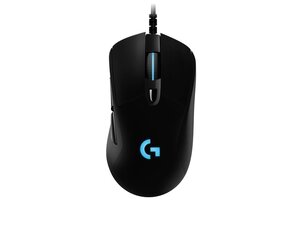
El G403 Wireless es un ratón para juegos para diestros de la línea G de Logitech que combina una forma ligera con tecnología inalámbrica de alto rendimiento. Utiliza una construcción duradera de plástico ABS con áreas reforzadas y patas de deslizamiento de PTFE, y cuenta con interruptores mecánicos primarios táctiles y agarres laterales engomados para una mayor durabilidad. Entre sus características clave se incluyen la conectividad inalámbrica Logitech Lightspeed de 2,4 GHz, un sensor óptico de precisión, botones programables y un peso extraíble opcional de 10 g para ajustar el equilibrio. El ratón se carga y funciona mediante una conexión por cable cuando es necesario, lo que ofrece un uso flexible para juegos o tareas de escritorio.
Identificación
El Logitech G403 Wireless se puede identificar por su número de modelo (M/N NO-MN). Se puede reconocer por su forma ergonómica para diestros y por la etiqueta del modelo en la parte inferior del ratón. El receptor inalámbrico USB (dongle Lightspeed) tiene su marca de modelo en la carcasa del dongle o en el conector USB. Esta etiqueta enumera los números de modelo (M/N), de pieza (P/N) y de serie (S/N).
Especificaciones
- Factor de forma: Ratón ergonómico para juegos para diestros
- Conectividad: Inalámbrica Logitech Lightspeed de 2,4 GHz; modo con cable mediante cable micro-USB extraíble
- Sensor: Sensor óptico de Logitech (clase HERO/sensor óptico patentado de Logitech; la variante exacta no aparece en la página de soporte principal)
- DPI máximo: Hasta 12 000 DPI (configurable en Logitech G HUB)
- Interruptores primarios: Interruptores mecánicos primarios Omron (interruptores estilo Omron suministrados por Logitech; el modelo exacto no se especifica en la página de soporte)
- Batería: Batería interna recargable: hasta ~24 horas con RGB habilitado (la duración real varía según el uso)
- Peso: Aproximadamente 87 g (ratón) con un peso de ajuste extraíble de 10 g incluido
- Patas: Patas de deslizamiento de PTFE de baja fricción para un seguimiento suave
- Botones: 6 botones programables con memoria integrada para perfiles
- Carga/Interfaz: Cable de carga micro-USB (incluido) y receptor inalámbrico USB (Lightspeed)
Resolución de Problemas
Los fallos comunes relevantes para la reparación incluyen el desgaste de los interruptores primarios que provoca clics dobles, la degradación de la capacidad de la batería y la conectividad inalámbrica intermitente. Diagnostica los clics dobles probando el accionamiento del interruptor mediante software e inspecciona/cambia los interruptores; comprueba el voltaje de la batería y prueba el funcionamiento con cable para aislar los problemas inalámbricos; vuelve a colocar o sustituye el cable micro-USB y verifica el receptor USB en otro puerto/PC.
Para obtener ayuda adicional con la resolución de problemas, visita: Visita el Soporte de Logitech (https://support.logi.com) para obtener controladores, el software G HUB y opciones de contacto.
Información adicional
Información de garantía
La garantía limitada de hardware varía según la región (normalmente 1–2 años); consulta la búsqueda de garantía de Logitech para tu región.

