Saltar al contenido principal

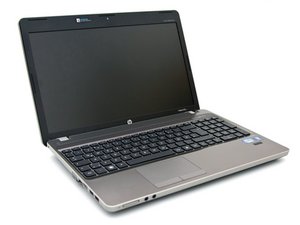
Un HP Probook lanzado en 2011.

I cannot hearing any thing

my speaker and volume is corect but when i open to see any video sound not comes

Contesta esta pregunta Yo también tengo este problema

Es esta una buena pregunta?

Puntuación 0
Agregar un comentario

1 Respuesta

Hello!

I understand you cannot hear sound when you play a video.

Let’s try some simple steps to fix it:

  1. Check sound settings:
  2. Click the speaker icon near the clock (bottom-right corner).
  3. Make sure volume is not muted.
  4. Click on "Open Sound Settings". Make sure the correct speaker is selected.
    1. Try playing other sounds:
  5. Can you hear system sounds (like when you get a message)?
  6. Try a YouTube video and also try a video saved on your computer.
    1. Update sound driver:
  7. Press Windows Key + X and click Device Manager.
  8. Find “Sound, video and game controllers”.
  9. Right-click on your sound device (like Realtek), and choose Update driver.
  10. Or choose Uninstall, then restart your computer.
    1. If using a browser (like Chrome):
  11. Try another browser.
  12. Check if the tab is muted (right-click the tab).
  13. Clear browser cache.

If sound still does not work:

This laptop (HP ProBook 4530s) has the sound card built into the motherboard. You cannot replace it easily. But you can use a USB sound card as a solution. These are cheap and work well.

Good luck! Let me know if you need more help.

Fue útil esta respuesta?

Puntuación 0
Agregar un comentario

Añadir tu respuesta

Oscar Perineum app maker estará eternamente agradecido.
Ver Estadísticas:

Ultimas 24 horas: 0

Ultimos 7 días: 0

Ultimos 30 días: 1

Todo El Tiempo: 36
