
Saltar al contenido principal

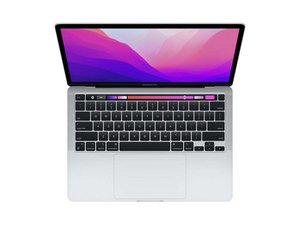
Guías e instrucciones de reparación para el Macbook Pro de 13" con Apple Silicon de segunda generación (chip M2) y pantalla Retina de 13,3". Modelo A2338. Lanzado por primera vez el 15 de julio de 2022 en la WWDC 2022 junto con el Macbook Air M2.

How to fix keyboard malfunction (random key press) without intrusive

On my MacBook I just started to face an issue where the “.” key would print “-.” even when shifting and after multiple restarts. The only reason this could happen is due to (dirty) tap water droplets (like very very small) got into the laptop, either into the key or through the trackpad, bridging the matrix.

This problem seems to have gotten worse now. Not just the . key, but now keyboard viewer shows the dash key as being held down unless a certain combination of two keys, like ./ or oi or kl or op, is pressed which then results in the key being shortly unpressed and repressed.

I understand this is a precarious situation, and I don’t even have AppleCare, but is there a method besides a 800$ replacement of the top enclosure to possibly clean the issue out? I’d usually use isopropyl alcohol but since I don’t know the actual area of “damage” I’m not sure where to apply it and would rather not coat the entire laptop.

As far as I know, the corrosion, if any, doesn’t seemed to have eaten anything, since the electrical traces still seem to be functioning and it seems that the issue is localised to the dash key matrix connection. Please correct me if I’m wrong though. I’m traveling and don’t really have access to any way of opening up the laptop until I get back. It’s also the only computer I have and I need to be able to access it, so is using it safe as well?

TLDR: is there a way to fix double key press without paying full cost? Can laptop be used during this damage?

Contestado! Ver respuesta Yo también tengo este problema

Es esta una buena pregunta?

Puntuación 0
Agregar un comentario

1 Respuesta

Solución Elegida

It does sound like something has gotten under the keys. If it's water or other liquid you run the risk of corrosion or fungus damage as the salts enable corrosion within the water and the sugars and solids in a drink can feed the fungus and mold which into eats the metal traces.

Crumbs and sand might be able to be pushed aside using some compressed air (can'd air - just be careful the liquid propellant doesn't enter)

In the meantime see if a Bluetooth or USB wired keyboard works, you may need use an external monitor to disable the internal keyboard from getting in the way with its miss typing.

Sadly, Apple doesn't make keyboard repairs inexpensive!make sure you've made a full backup onto an external drive, as you may want to get a temp/replacement system while you get yours fixed.

Fue útil esta respuesta?

Puntuación 1

2 comentarios:

Thank you! Luckily I still have my 2015 MBP at home and I brought my Time Machine drive. Seems like external keyboards work so damage is only limited to the internal keyboard. Just wanted to ask if there’s any possibility that further use of the device would cause other parts of the laptop to fail?

- de

@atomtables2 - No way to tell without more info on what spilled, were and what. Ideally it does need a deeper inspection on where the damage is.

- de

Agregar un comentario

Añadir tu respuesta

Adithiya Venkatakrishnan estará eternamente agradecido.
Ver Estadísticas:

Ultimas 24 horas: 0

Ultimos 7 días: 6

Ultimos 30 días: 28

Todo El Tiempo: 185
