Saltar al contenido principal
Únete a la Comunidad de Reparación - Crear Cuenta

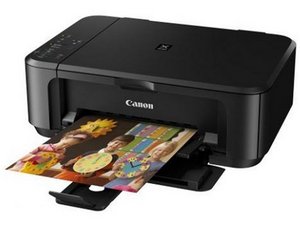
Una impresora y escáner todo en uno con impresión dúplex y conexión WiFi.

My mg7520 has error code b203

My Canon PIXMA MG7520 HAS AN ERROR CODE B203. DO I NEED TO BUY ANOTHER PRINTER

Contesta esta pregunta Yo también tengo este problema

Es esta una buena pregunta?

Puntuación 1

Agregar un comentario

1 Respuesta

The error code B203 on your Canon MG7520 printer typically indicates a problem with the print head or an issue with the printer's internal hardware. Here are some steps you can try to troubleshoot the issue:

  1. Restart the Printer: Turn off the printer, unplug it from the power source, wait for about 10 minutes, then plug it back in and turn it on.
  2. Check for Paper Jams: Open the printer and check for any paper jams or obstructions that might be causing the error.
  3. Check Ink Cartridges: Make sure the ink cartridges are properly installed. Remove and reinsert them, ensuring they click into place.
  4. Clean the Print Head: You can try to clean the print head using the printer's maintenance menu. Refer to your user manual for instructions on how to do this.
  5. Reset the Printer: If the issue persists, you can try resetting the printer to its factory settings. Again, refer to your user manual for steps on how to do this.
  6. Contact Support: If none of these steps work, it may be a hardware issue that requires professional assistance. Contact Canon support or a local technician for further help.

Fue útil esta respuesta?

Puntuación 0
Agregar un comentario

Añadir tu respuesta

donsul01 estará eternamente agradecido.
Ver Estadísticas:

Ultimas 24 horas: 4

Ultimos 7 días: 14

Ultimos 30 días: 38

Todo El Tiempo: 895