Introducción
Utiliza esta guía para instalar una batería nueva en tu MacBook Pro. Necesitas un destornillador de tres puntos para quitar la batería.
Qué necesitas
-
-
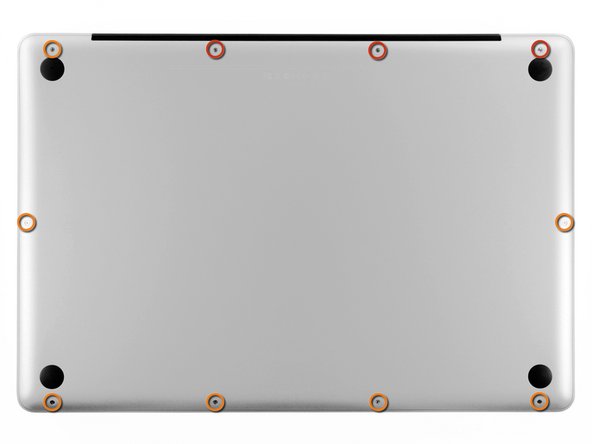
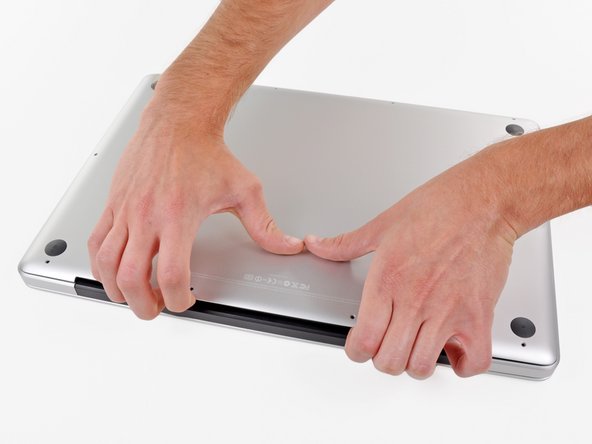
Retira los diez tornillos que aseguran la carcasa inferior al ordenador:
-
Tres tornillos Phillips de 13.5 mm
-
Siete tornillos Phillips de 3 mm.
-
-
-
-
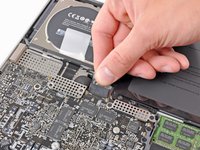
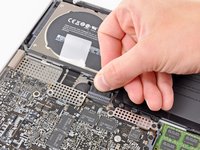
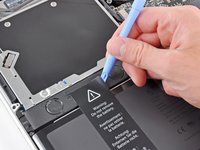
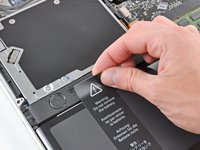
Sujete la pestaña plástica unida al conector de la batería y tire de ella hacia el borde frontal del dispositivo.
-
-
-
Levante la batería tirando de su pestaña adjunta y retírela de la carcasa superior.
-
Cárguela al 100 % y manténgala cargada durante al menos 2 horas más. Después, desconéctela y úsela normalmente para descargarla. Cuando vea la advertencia de batería baja, guarde su trabajo y mantenga la laptop encendida hasta que entre en reposo por batería baja. Espere al menos 5 horas y luego cargue la laptop sin interrupciones al 100 %.
-
Si nota algún comportamiento inusual o problemas después de instalar su nueva batería, es posible que necesite restablecer el SMC de su MacBook.
-





Para volver a ensamblar tu dispositivo, sigue estas instrucciones en orden inverso.
Cancelar: No complete esta guía.
209 personas más completaron esta guía.
Un agradecimiento especial a estos traductores:
100%


Estos traductores nos están ayudando a reparar el mundo! ¿Quieres contribuir?
Empezar a traducir ›

34Guía Comentarios
Maybe good to know: as this type of MacBook Pro is already ageing, mine showed some bulging in the battery. As I don't use my MacBook Pro anymore as a real laptop, for me, it doesn't matter anymore to replace the battery. But for safety reasons, I removed the bulging battery, and the MacBook Pro is still running fine!
Hello, i've tryed to do it but without the battry my macbook didn't turned on... do you have any tip? Did you have to configure anything inside? My mac is a Macbook pro 17'' 6,1 mid 2010
@kirapereira, it should work. I took my bulging battery out and made no configuration changes. Just make sure you keep the MBP plugged into a working electrical outlet at all times and keep it plugged in while you are using it. If the magsafe connector gets dislodged for any reason the computer will shutdown immediately, no warnings or questions asked.
I just changed my A1297 model Late 2011 MacBook Pro 17" battery using a NewerTech battery kit (includes the two tools you need) that I sourced off OWC (OtherWorldComputing aka MacSales website) and using their installation video (while checking it against install guides on EverythingMac and the iFixit websites) The replacement went without a hitch and the battery is charging now The only thing I had to do was reset the clock after boot up I will report problems here, if any But if not, then Finito!
