Saltar al contenido principal
Únete a la Comunidad de Reparación - Crear Cuenta

Xbox Intec 7.2" Color Game Screen Disassembly

Qué necesitas

    1. Xbox Intec 7.2" Color Game Screen Disassembly, Intec 7.2" Color Game Screen: paso 1, imagen 1 de 2 Xbox Intec 7.2" Color Game Screen Disassembly, Intec 7.2" Color Game Screen: paso 1, imagen 2 de 2
      • Top shell is held in place with 4 screws and 6 retaining tabs

      • Remove 2 rubber pads to uncover 2 hidden screws

      • Remove 4 #1 screws

      Pregunta a FixBot

      Agregar Comentario

    2. Xbox Intec 7.2" Color Game Screen Disassembly: paso 2, imagen 1 de 2 Xbox Intec 7.2" Color Game Screen Disassembly: paso 2, imagen 2 de 2
      • Take a spudger and disengage the 6 retaining tabs

      • This will be the most time-consuming step. Be patient and take your time.

      • You will hear an audible pop when disengaging the tabs.

      • Remove top housing

      Pregunta a FixBot

      Agregar Comentario

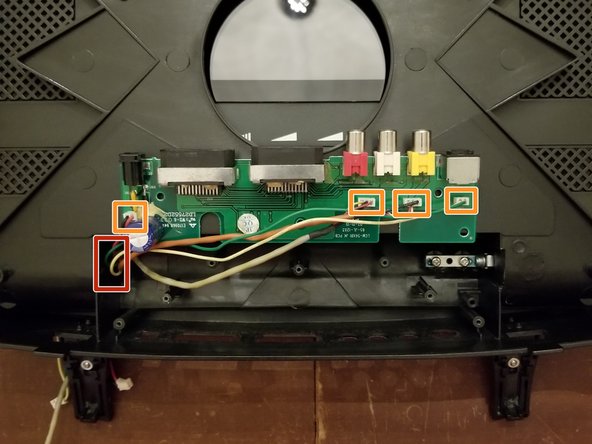
    3. Xbox Intec 7.2" Color Game Screen Disassembly: paso 3, imagen 1 de 2 Xbox Intec 7.2" Color Game Screen Disassembly: paso 3, imagen 2 de 2
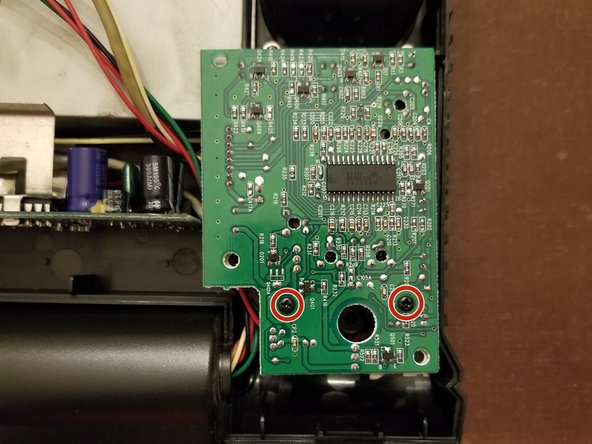
      • Remove 2 #1 screws

      • Disconnect 4 wire harnesses

      Pregunta a FixBot

      Agregar Comentario

    4. Xbox Intec 7.2" Color Game Screen Disassembly: paso 4, imagen 1 de 3 Xbox Intec 7.2" Color Game Screen Disassembly: paso 4, imagen 2 de 3 Xbox Intec 7.2" Color Game Screen Disassembly: paso 4, imagen 3 de 3
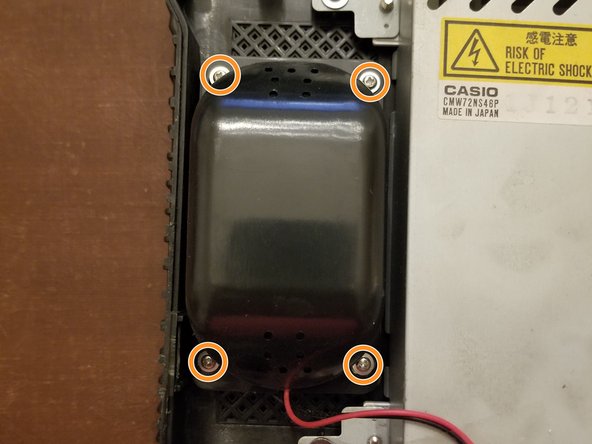
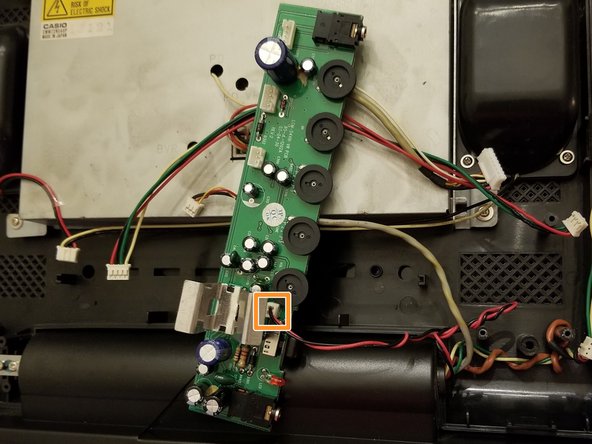
      • Disconnect speaker header

      • It's not necessary to remove the speakers from the housing unless you need to.

      • Disconnect header if speakers need to be removed. Otherwise, this will be done in the next step.

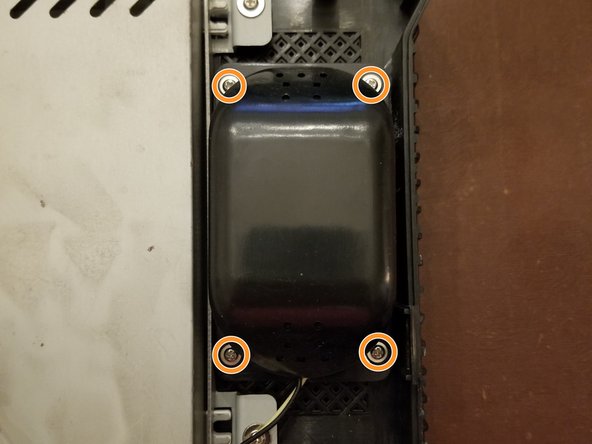
      • Remove 8 #1 screws

      Pregunta a FixBot

      Agregar Comentario

    5. Xbox Intec 7.2" Color Game Screen Disassembly: paso 5, imagen 1 de 2 Xbox Intec 7.2" Color Game Screen Disassembly: paso 5, imagen 2 de 2
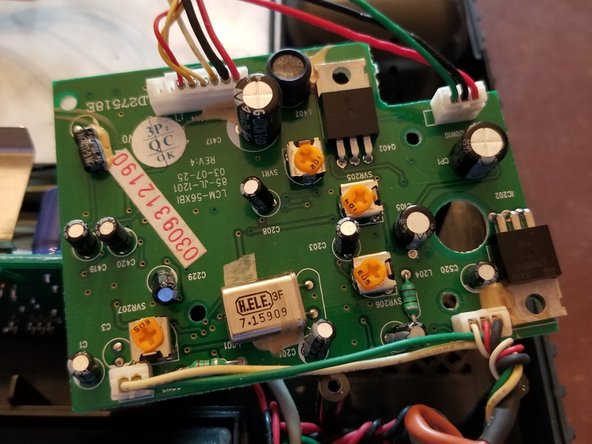
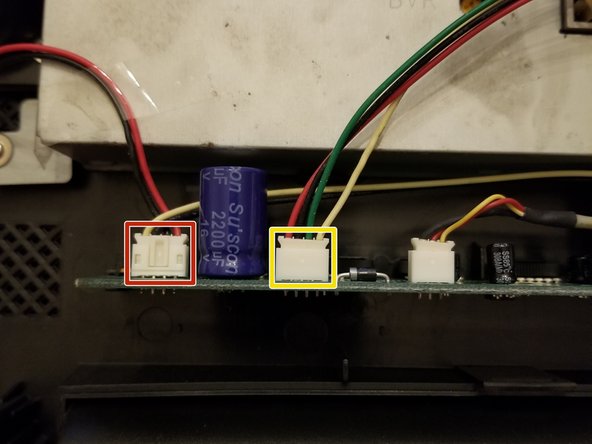
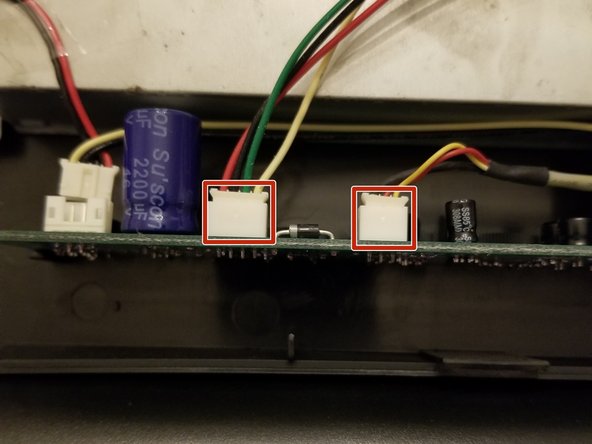
      • Disconnect 2 headers

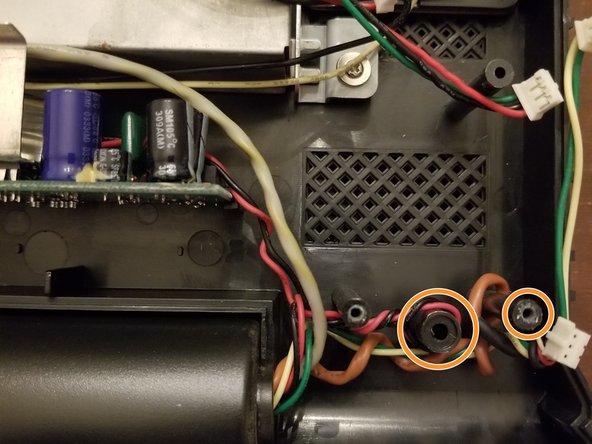
      • Lift wires over retaining posts

      Pregunta a FixBot

      Agregar Comentario

    6. Xbox Intec 7.2" Color Game Screen Disassembly: paso 6, imagen 1 de 2 Xbox Intec 7.2" Color Game Screen Disassembly: paso 6, imagen 2 de 2
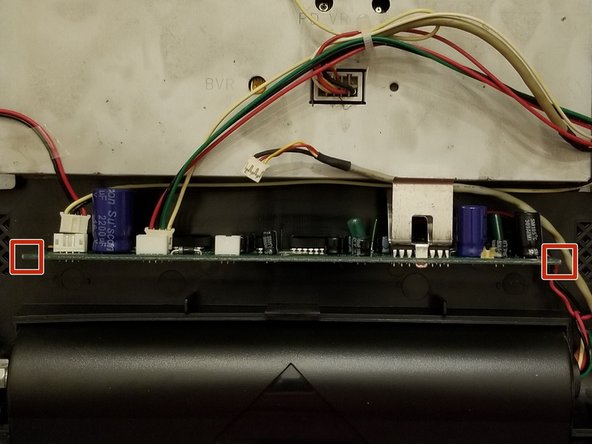
      • Grab the edges of the board and lift up

      • Don't attempt to fully remove the board from the unit yet

      • Disconnect last header

      Pregunta a FixBot

      Agregar Comentario

    7. Xbox Intec 7.2" Color Game Screen Disassembly: paso 7, imagen 1 de 1
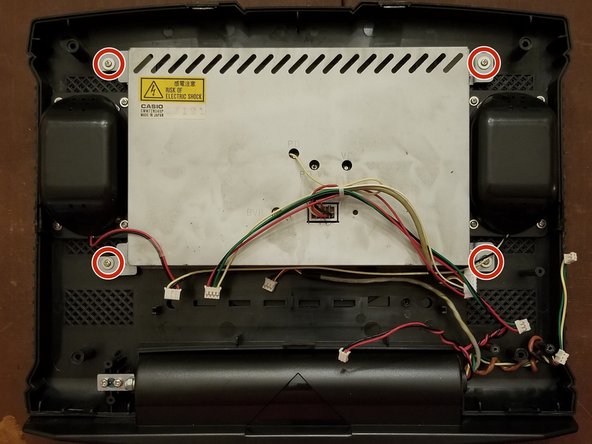
      • It's not necessary to remove the screen from the housing unless you need to.

      • Remove 4 #1 screws to remove screen

      Pregunta a FixBot

      Agregar Comentario

    8. Xbox Intec 7.2" Color Game Screen Disassembly: paso 8, imagen 1 de 2 Xbox Intec 7.2" Color Game Screen Disassembly: paso 8, imagen 2 de 2
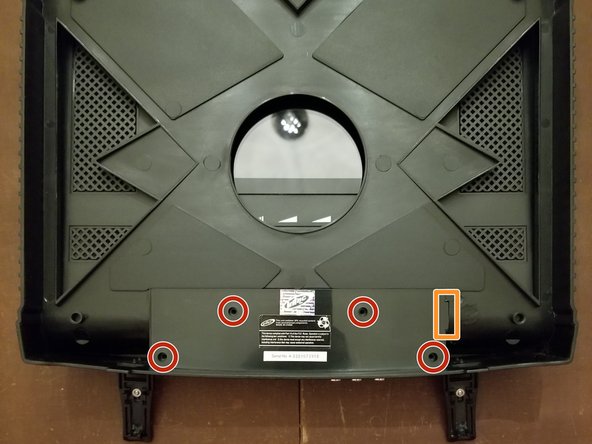
      • Remove 4 #1 screws

      • Lift up on tab

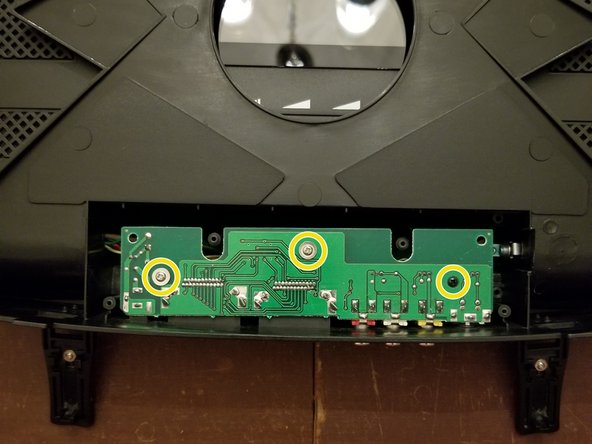
      • Remove 3 #1 screws

      • Grab the edges and lift the board up

      • Don't attempt to fully remove the board from the unit yet

      Pregunta a FixBot

      Agregar Comentario

    9. Xbox Intec 7.2" Color Game Screen Disassembly: paso 9, imagen 1 de 1
      • Feed wires through the hinge enough to remove board from unit

      • These 4 headers are soldered directly to the board

      • If this board needs to be entirely removed, feed the wires all the way through the hinge.

      Pregunta a FixBot

      Agregar Comentario

Conclusión

To reassemble your device, follow these instructions in reverse order.

Cancelar: No complete esta guía.

Una persona más ha completado esta guía.

Navy Vet 2015

Miembro Desde 06/25/15

8,357 Reputación

15 Guías creadas

0Guía Comentarios

Agregar Comentario

Ver Estadísticas:

Ultimas 24 horas: 2

Ultimos 7 días: 23

Ultimos 30 días: 71

Todo El Tiempo: 1,675