Saltar al contenido principal
Únete a la Comunidad de Reparación - Crear Cuenta

Vinotemp VT-12TEDi Power Cord Replacement

Qué necesitas

  1. Vinotemp VT-12TEDi Power Cord Replacement, Power Cord: paso 1, imagen 1 de 2 Vinotemp VT-12TEDi Power Cord Replacement, Power Cord: paso 1, imagen 2 de 2
    • Remove nine 12mm Phillips screws from the upper back panel.

    • Remove three 12mm Phillips screws inset under the back panel.

    • As soon as the screws are removed, the panel will fall freely.

    • When replacing the twelve 12mm Phillips screws, do not tighten the fasteners until all twelve screws have been loosely fitted back onto the cooler. This will ensure the flimsy metal casing will not warp.

    Pregunta a FixBot

    Agregar Comentario

  2. Vinotemp VT-12TEDi Power Cord Replacement: paso 2, imagen 1 de 1
    • Power Cord Fastener

    • Ground

    • Motherboard

    • Heat Sink Fan

    • Heat Sink

    Pregunta a FixBot

    Agregar Comentario

  3. Vinotemp VT-12TEDi Power Cord Replacement: paso 3, imagen 1 de 3 Vinotemp VT-12TEDi Power Cord Replacement: paso 3, imagen 2 de 3 Vinotemp VT-12TEDi Power Cord Replacement: paso 3, imagen 3 de 3
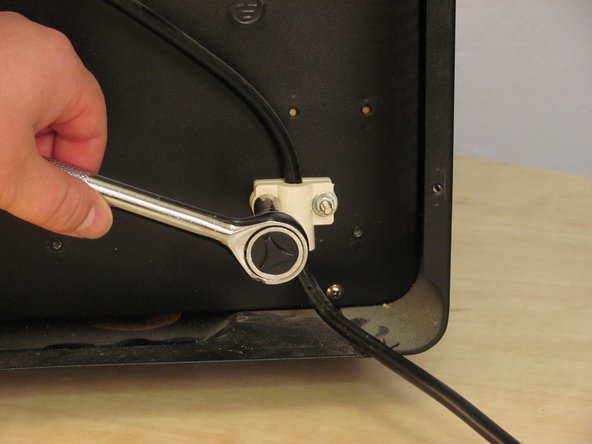
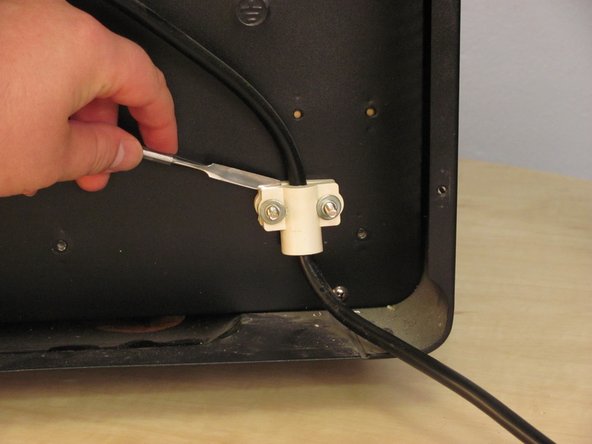
    • Remove two 7mm Hex Nuts.

    • Clearance is minimal and these screws are very tight. You will likely need a socket wrench to avoid stripping.

    • If the white plastic components stick, pry them apart with a metal spudger. Don't pull on the power cord to get plastic pieces to separate.

    Pregunta a FixBot

    Agregar Comentario

  4. Vinotemp VT-12TEDi Power Cord Replacement: paso 4, imagen 1 de 2 Vinotemp VT-12TEDi Power Cord Replacement: paso 4, imagen 2 de 2
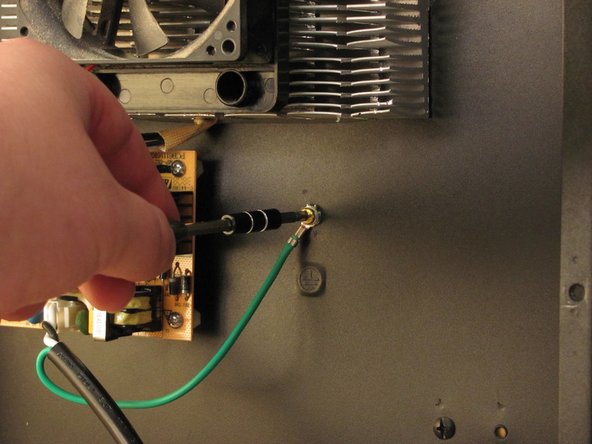
    • Remove one 12mm Phillips screw securing ground.

    Pregunta a FixBot

    Agregar Comentario

  5. Vinotemp VT-12TEDi Power Cord Replacement: paso 5, imagen 1 de 3 Vinotemp VT-12TEDi Power Cord Replacement: paso 5, imagen 2 de 3 Vinotemp VT-12TEDi Power Cord Replacement: paso 5, imagen 3 de 3
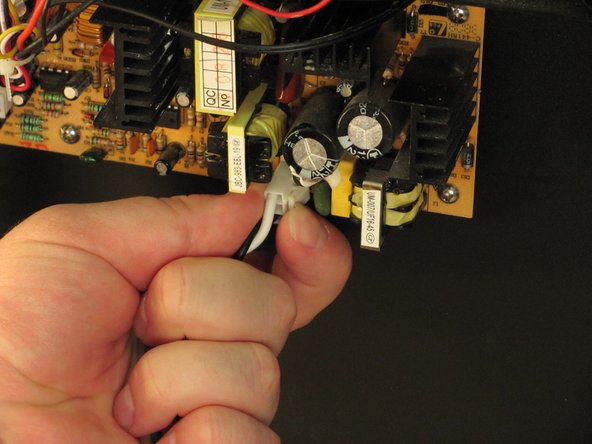
    • Remove power cable from motherboard.

    • Pinch cable connector to release it from the motherboard, then pull.

    Pregunta a FixBot

    Agregar Comentario

  6. Vinotemp VT-12TEDi Power Cord Replacement: paso 6, imagen 1 de 1
    • Your power cord is removed.

    Pregunta a FixBot

    Agregar Comentario

Conclusión

To reassemble your device, follow these instructions in reverse order.

Cancelar: No complete esta guía.

Una persona más ha completado esta guía.

Jeff Snyder

Miembro Desde 02/07/13

9,337 Reputación

4 Guías creadas

Equipo

iFixit Miembro de iFixit

Staff

Miembros de 122

25,808 Guías creadas

0Guía Comentarios

Agregar Comentario

Ver Estadísticas:

Ultimas 24 horas: 0

Ultimos 7 días: 7

Ultimos 30 días: 73

Todo El Tiempo: 1,277