Introducción
Las baterías PRAM de las PowerBooks G4 son un componente antiguo que causa errores con la fecha y la hora, entre otros. Puedes reemplazar la batería con unos sencillos pasos.
Qué necesitas
-
-
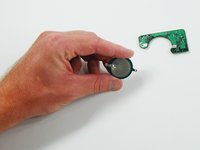
Necesitará retirar la batería PRAM de su computadora. Consulte nuestras guías del PowerBook G4 para saber cómo hacerlo específicamente para su computadora.
-
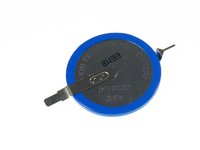
Tome nota de dónde se conecta el lado positivo (+) para eliminar confusiones cuando intente instalar la batería nueva.
-
Solo hay dos lugares donde necesitarás soldar.
-
-




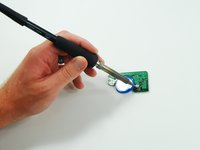
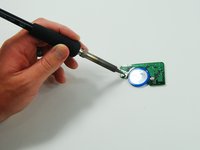
Ahora puedes volver a instalar el conjunto PRAM en la computadora.
Cancelar: No complete esta guía.
23 personas más completaron esta guía.
Un agradecimiento especial a estos traductores:
100%

¡ Angel nos está ayudando a reparar el mundo! ¿Quieres contribuir?
Empezar a traducir ›


6Guía Comentarios
I can’t seem to find these batteries anywhere. Can someone post a source? Thanks!
I posted details, and a source for the battery, over on the Powerbook G4 15” PRAM battery replacement page: PowerBook G4 Aluminum 15" 1-1.5 GHz PRAM Battery Replacement
It should be the same thing here.
Be careful! Not all Powerbooks have this one battery. My 17” Powerbook G4 Aluminium has two CGL 2430. The board looks much different to the one in the above photos. The batteries are smaller (smaller diameter), and the module is longer and narrower. I just opened my Powerbook G4 to replace the battery, just to realise that I bought the wrong battery!!
