
iMac Intel 17" Camera Board Replacement

Última actualización: 31 de jul. de 2013
Vistas: 7.8 k
Ver estadísticas:
- Últimas 24 horas:
- 4
- Últimos 7 días:
- 28
- Últimos 30 días:
- 93
- Todo El Tiempo:
- 7,809
Comentarios: 18
18 comentarios sobre los pasos.
Completado: 0 1
Nadie ha marcado esta guía como "completada". ¿Quieres marcarla tú?
1 persona acaba de marcar esta guía como "completada". ¡Has sido tú, excelente trabajo!
Favoritos: 2 3
2 personas han marcado como "Favorita" y se han suscrito a esta guía. ¿Serás tú la próxima persona en hacerlo?
3 personas marcaron como favorita (y se suscribieron) esta guía, ¡incluyéndote a ti!
Introducción
Ir al paso 1 ↓Get back to making those webcam shows and replace your camera board.
Qué necesitas
Herramientas


-
-
-
Loosen the two captive Phillips screws securing the access door to the iMac.
-
Remove the access door from the iMac.
 Pregunta a FixBot
-
-
-
-
-
Remove the following four screws:
-
Three 6 mm T8 Torx.
-
One 8 mm T8 Torx.
-
-
-
Flip your iMac over and lay it stand-side down on a flat surface.
-
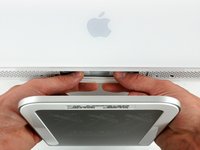
To lift the front bezel off the iMac, simultaneously:
-
Use your thumbs to press in the RAM arms and hold the iMac down.
-
Use your index fingers to pull the small bridge of material on the front bezel toward yourself.
-
Pull the Front bezel up with your index fingers.
-
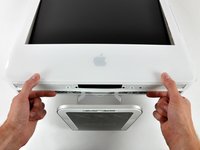
Once the small bridge of material has cleared the RAM arms, lift the front bezel by its lower edge just enough to clear the bottom edge of the rear case.
-
-
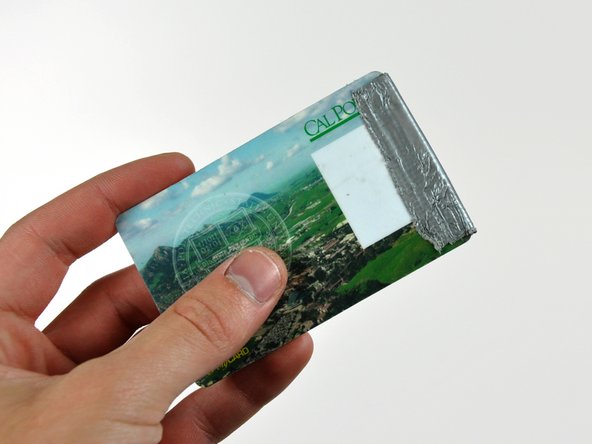
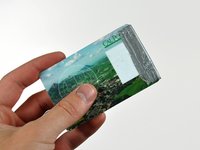
Herramienta utilizada en este paso:Plastic Cards$2.99
-
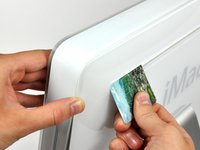
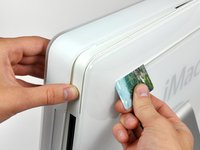
Insert a plastic card up into the corner of the air vent slot near the top of the rear case.
-
Push the card toward the top of the iMac to release the front bezel latch.
-
Pull the front bezel away from the rear case.
-
Repeat this process for the other side of the front bezel.
-
If the bezel refuses to release, try pressing the lower edge back onto the rear case and repeat this opening process.
-
-
-
-
Lay your iMac stand-side down on a table.
-
Lift the front bezel from its lower edge and rotate it away from the rest of your iMac, minding the RAM arms that may get caught.
-
Lay the front bezel above the rest of the iMac.
-
-
-
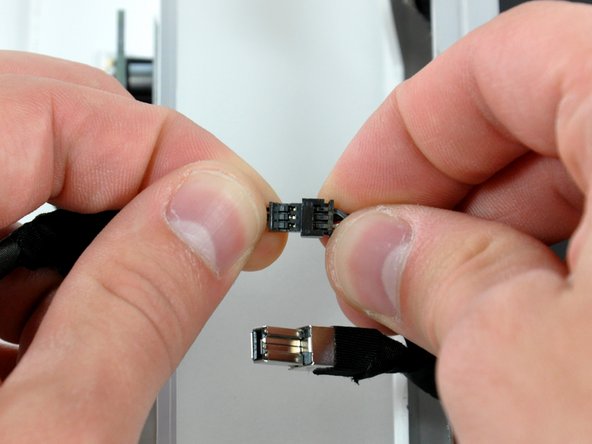
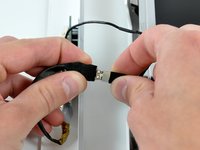
If necessary, remove the piece of kapton tape(it is ok to toss this) wrapped around the microphone and camera cables.
-
-
-
-
-
Remove the two T6 Torx screws securing the camera board to the front bezel.
-






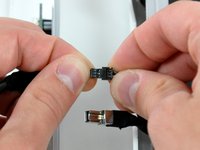


To reassemble your device, follow these instructions in reverse order.

