Introducción
Replacing the cameras that may be cracked or faulty on your Zeki Droid Tablet. This procedure should take no more then twenty minutes to complete. The process will include using tools such as spudgers, and tweezers.
Qué necesitas
-
-
Remove the back casing by slowly popping each tab out with a plastic opening tool.
 Pregunta a FixBot
-
-
Herramienta utilizada en este paso:Tweezers$4.99
-
Remove the tapes one by one from the connecting wires with tweezers.
-
-
-
Remove the black clips from both sides of the casing with a plastic opening tool.
-
-
-
Herramienta utilizada en este paso:Tweezers$4.99
-
Grip the camera on both sides using tweezers or your fingers, and carefully lift it off the board.
-
-
-
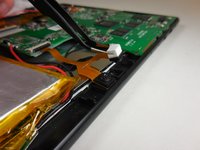
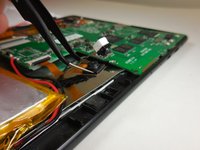
Undo the ZIF connector that is connecting the cameras to the motherboard using a plastic spudger or fingernail.
-
-
-
Pull the copper connection carefully away from the motherboard of the tablet to completely remove the camera.
-




To reassemble your device, follow these instructions in reverse order.
Cancelar: No complete esta guía.
Una persona más ha completado esta guía.

Equipo

Colorado Springs, Team 2-6, Panko Spring 2015 Miembro de Colorado Springs, Team 2-6, Panko Spring 2015
UCCS-PANKO-S15S2G6
Miembros de 3
10 Guías creadas
