Introducción
This guide will provide the steps necessary to open up the tablet, locate the audio jack, remove and replace the audio jack and reassemble the Sony Vaio Tap 11 tablet.
Qué necesitas
-
-
Begin by opening the HDMI/USB port cover on the left edge.
-
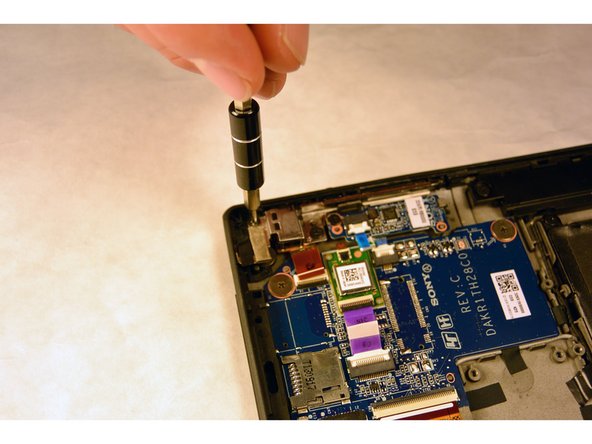
Remove the three #000 headed, 3 mm long screws located underneath the port cover.
-
-
-
-
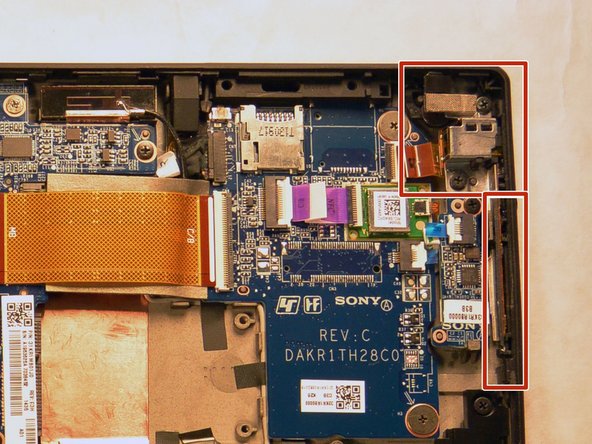
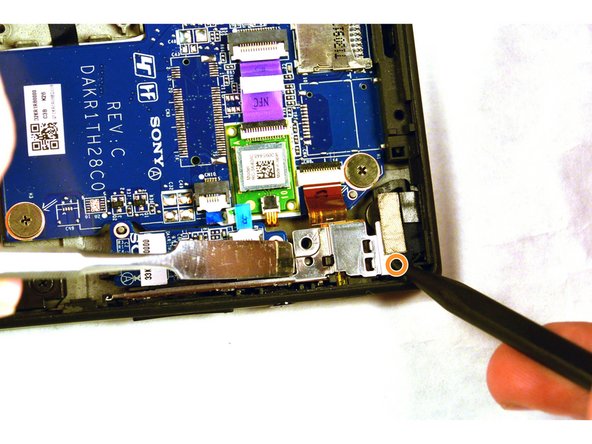
With the screws removed, use a plastic opening tool to lightly pry the board up over a plastic positioning peg.
-
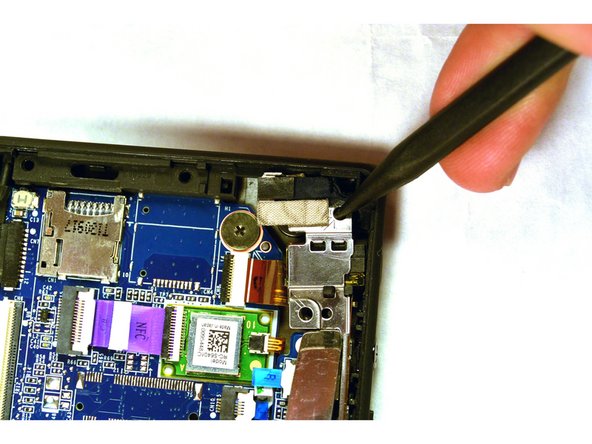
Insert the tip of a spudger where the upper screw was located and push the board inward while prying up with the plastic opening tool.
-
Lightly pry with the opening tool, enough for the board to lift off the positioning peg and then push inward with the spudger. The board should begin to separate from the corner.
-





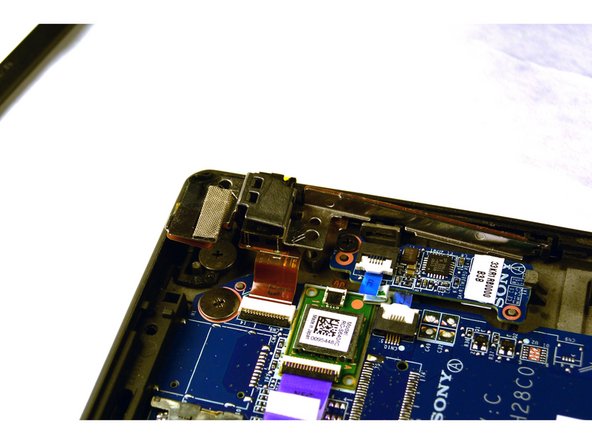
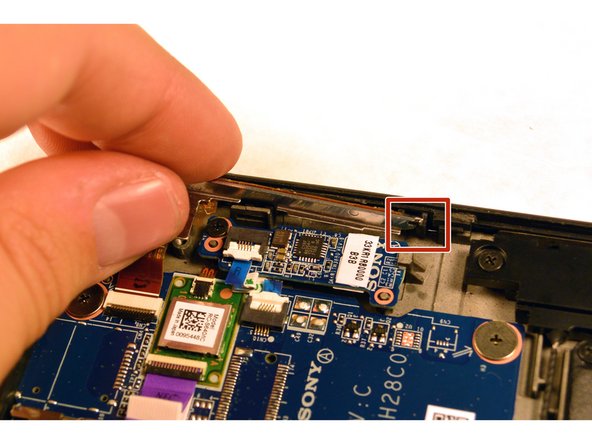

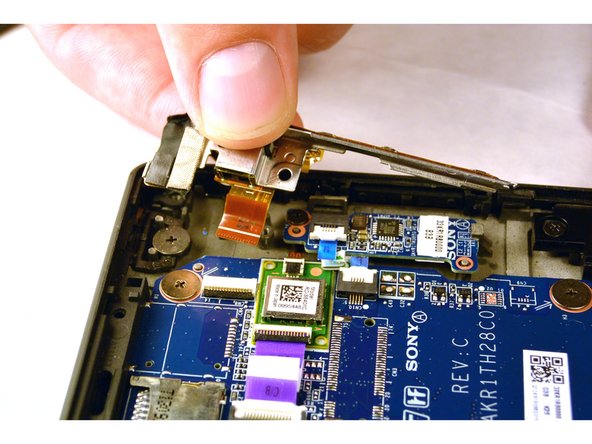
To reassemble your device, follow these instructions in reverse order.
To reassemble your device, follow these instructions in reverse order.
Cancelar: No complete esta guía.
2 personas más completaron esta guía.



Equipo

IUPUI, Team 1-2, Harley Fall 2015 Miembro de IUPUI, Team 1-2, Harley Fall 2015
IUPUI-HARLEY-F15S1G2
4 Miembros
20 Guías creadas
