Saltar al contenido principal
Únete a la Comunidad de Reparación - Crear Cuenta

Shark Navigator Lift-Away Deluxe NV360 Foam and Felt Filters Replacement

  1. Shark Navigator Lift-Away Deluxe NV360 Foam and Felt Filters Replacement, Foam and Felt Filters: paso 1, imagen 1 de 1
    • Locate the latches on the side of the dust cup, the clear plastic chamber in the center of the vacuum.

    Pregunta a FixBot

    Agregar Comentario

  2. Shark Navigator Lift-Away Deluxe NV360 Foam and Felt Filters Replacement: paso 2, imagen 1 de 3 Shark Navigator Lift-Away Deluxe NV360 Foam and Felt Filters Replacement: paso 2, imagen 2 de 3 Shark Navigator Lift-Away Deluxe NV360 Foam and Felt Filters Replacement: paso 2, imagen 3 de 3
    • Pull the bottom of the latch with your hand in an upward direction.

    • Lift the top of the latch up and away from the dust cup using your hand.

    • Repeat the above steps with the latch on the other side of the dust cup.

    Pregunta a FixBot

    Agregar Comentario

  3. Shark Navigator Lift-Away Deluxe NV360 Foam and Felt Filters Replacement: paso 3, imagen 1 de 2 Shark Navigator Lift-Away Deluxe NV360 Foam and Felt Filters Replacement: paso 3, imagen 2 de 2
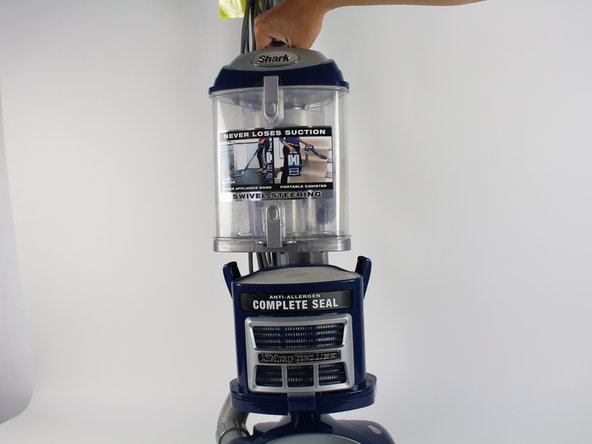
    • Lift the dust cup up and away by its handle on the top with your hands.

    Pregunta a FixBot

    Agregar Comentario

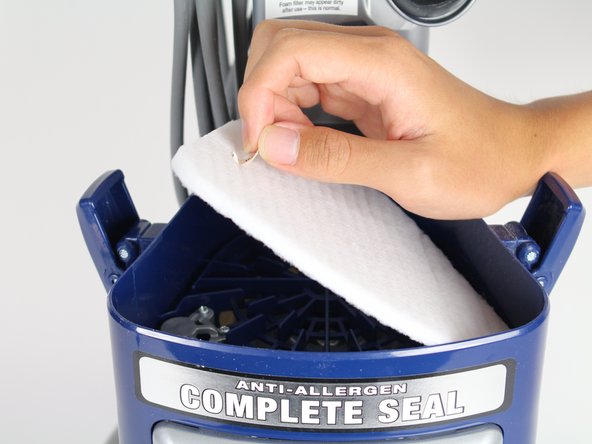
  4. Shark Navigator Lift-Away Deluxe NV360 Foam and Felt Filters Replacement: paso 4, imagen 1 de 3 Shark Navigator Lift-Away Deluxe NV360 Foam and Felt Filters Replacement: paso 4, imagen 2 de 3 Shark Navigator Lift-Away Deluxe NV360 Foam and Felt Filters Replacement: paso 4, imagen 3 de 3
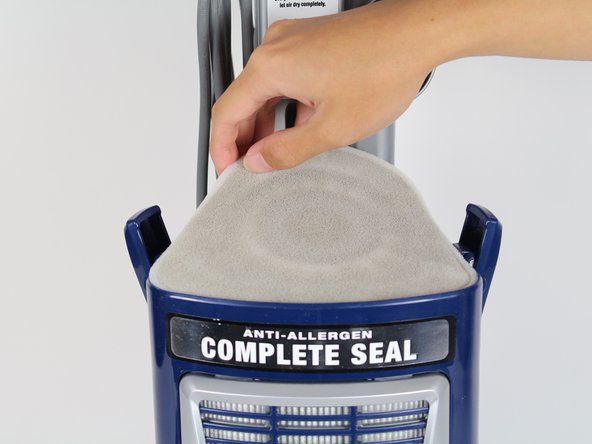
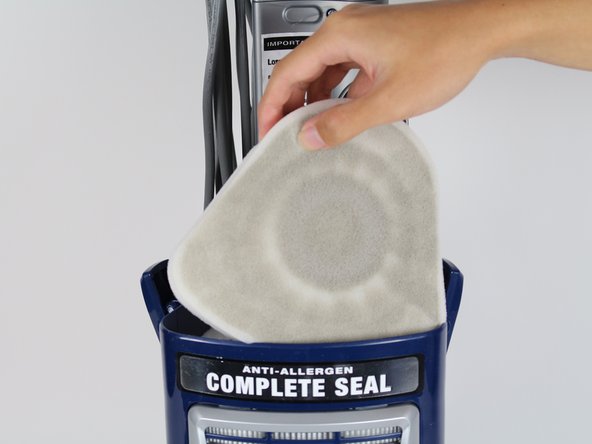
    • Lift the foam filter up, out, and away with your hands.

    Pregunta a FixBot

    Agregar Comentario

  5. Shark Navigator Lift-Away Deluxe NV360 Foam and Felt Filters Replacement: paso 5, imagen 1 de 3 Shark Navigator Lift-Away Deluxe NV360 Foam and Felt Filters Replacement: paso 5, imagen 2 de 3 Shark Navigator Lift-Away Deluxe NV360 Foam and Felt Filters Replacement: paso 5, imagen 3 de 3
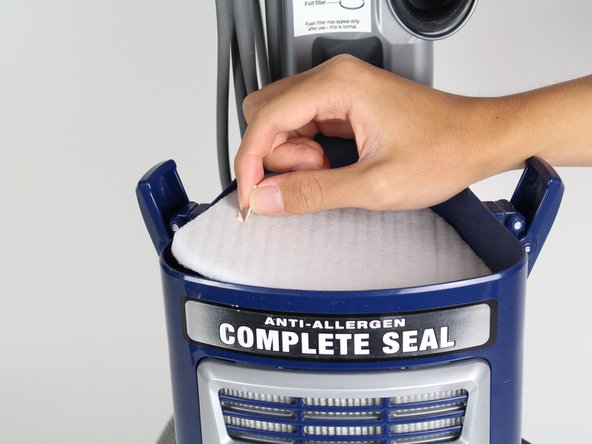
    • Lift the felt filter up, out, and away with your hands by the tab on the top.

    Pregunta a FixBot

    Agregar Comentario

Conclusión

To reassemble your device, follow these instructions in reverse order.

Cancelar: No complete esta guía.

2 personas más completaron esta guía.

Equipo

Cal Poly, Team S15-G2, Livingston Fall 2017 Miembro de Cal Poly, Team S15-G2, Livingston Fall 2017

CPSU-LIVINGSTON-F17S15G2

Miembros de 3

16 Guías creadas

0Guía Comentarios

Agregar Comentario

Ver Estadísticas:

Ultimas 24 horas: 4

Ultimos 7 días: 17

Ultimos 30 días: 64

Todo El Tiempo: 6,188