Introducción
Esta guía lo guiará a través del proceso de reemplazo de una pantalla dañada o muerta en un Acer Nitro 5 AN515-53-55G9. Si tu pantalla está rota, tiene líneas atravesándola o no se enciende, esta guía te ayudará a reemplazarla con una versión que funcione. Puedes limitar tu problema a la pantalla conectando tu computadora a un monitor externo antes de realizar el reemplazo. Si tu computadora funciona perfectamente bien cuando está conectada a un monitor externo, lo más probable es que el problema se deba a un mal funcionamiento de la pantalla.
Si tu pantalla está excesivamente agrietada, puede ser útil colocar un poco de cinta adhesiva transparente sobre la pantalla para evitar cortarse con los fragmentos de vidrio. Sólo asegúrate de no cubrir el bisel de plástico, ya que deberás quitarlo para completar esta guía.
Qué necesitas


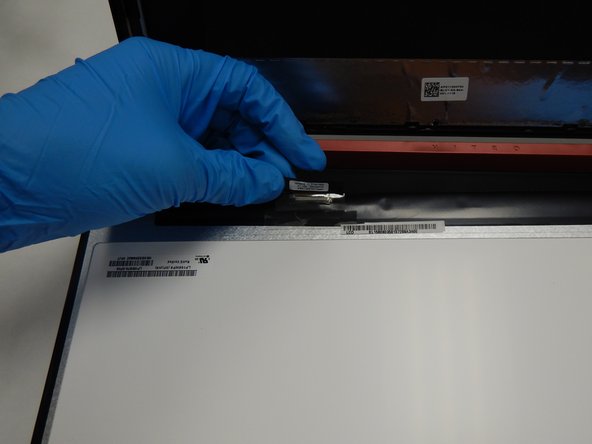
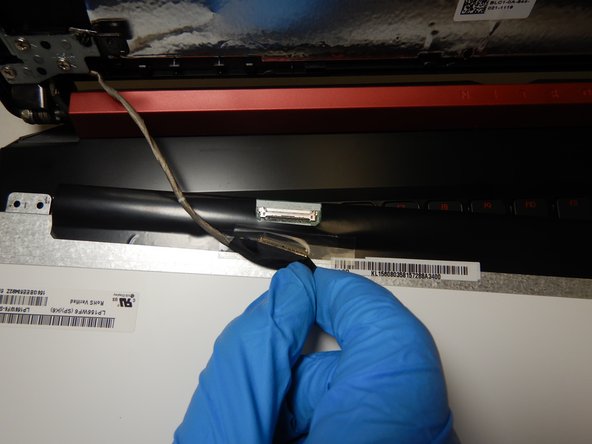
Para volver a ensamblar tu dispositivo, sigue estas instrucciones en orden inverso.
Para volver a ensamblar tu dispositivo, sigue estas instrucciones en orden inverso.
Cancelar: No complete esta guía.
7 personas más completaron esta guía.
Un agradecimiento especial a estos traductores:
100%

¡ Francisco Javier Saiz Esteban nos está ayudando a reparar el mundo! ¿Quieres contribuir?
Empezar a traducir ›



Equipo

The Citadel Military College of South Carolina, Team S2-G11, Eggleston Fall 2020 Miembro de The Citadel Military College of South Carolina, Team S2-G11, Eggleston Fall 2020
CMCSC-EGGLESTON-F20S2G11
3 Miembros
6 Guías creadas
3 comentarios
This guide was helpful in replacing the screen in my son’s Acer Nitro 5 AN515--43-R0YM, with a slight difference. That model’s screen is held in place with adhesive strips, not screws. Kind of pain, but not too bad to deal with. The strips work basically like 3M Command Strips. Use pliers are strong tweezers to grab the tab peeking out from behind the screen at each corner (but do one at a time, of course), and _slowly_ pull straight out (parallel to the screen). Once enough has come out, grab with your fingers and keep pulling _slowly_. If you pull too fast it could break, and then you’ve got a real headache on your hands. Be patient and eventually the tape will release.
I've use it for a AN515-52 and the steps are the same. I did a screen replace in less then 15 min. Top guide
nice 15 min is it hard for a beginner
