Introducción
Actualice los módulos de RAM para obtener un aumento instantáneo en la velocidad.
Qué necesitas
-
-
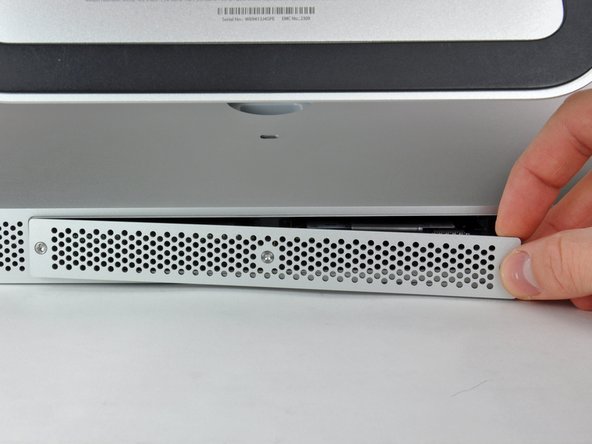
Afloja los tres tornillos Phillips que sujetan la tapa de acceso al extremo inferior de tu iMac.
-
Quita la tapa de acceso de tu iMac.
-
-
-
-
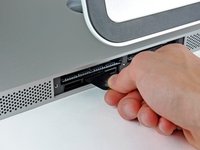
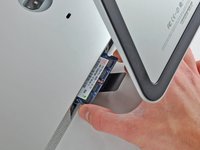
Usa tus dedos o la punta de un spudger para deslizar la lengüeta de plástico de la bandeja de RAM de la ranura RAM.
-



Para volver a ensamblar el dispositivo, siga estas instrucciones en orden inverso.
Cancelar: No complete esta guía.
55 personas más completaron esta guía.
Un agradecimiento especial a estos traductores:
100%

¡ Angel nos está ayudando a reparar el mundo! ¿Quieres contribuir?
Empezar a traducir ›


6Guía Comentarios
My wife's ageing iMac currently has 4x2GB, and it is creaking under even light use (on Mavericks... haven't dared upgrade any further yet).
I want to initially upgrade it to 2x8GB, which seems nice and easy. My question is is it then possible to add one more 8GB for a total of 24GB, or would I need to add 2x8GB for a total of 32GB? Will the iMac see and use 3 RAM modules, or does it need to be an even number, like in the old PC days?
Thanks!
Maximum memory: 16384MB. See crucial for more information :
Easy mode. Note that the bits is called PZ1 most screwdriver sets. Also known as Japanese Phillips, the bid comes to a + instead of to a point. A 2.0 flathead will also turn the screw.
Oh and, don't forget to check your black flats back in. Otherwise you'll get too funny little appendages sticking out the bottom when you reattach your access door :)
2 Comments:
* firstly you may have to pull twice on the tab to release both RAMs as sometimes the first slot gets a little stuck.
* secondly - I've been having some trouble with different RAM chips - can anyone please tell me the definitive answer for how much RAM each slot will take, and what speed and latency? My iMac seems "finicky" about brands too!!!
