Qué necesitas
-
-
Start by turning the tablet over with the screen down. Carefully use a plastic opening tool to pry the cover off. Start from the corner opposite the hibernate button.
-
-
-
Pick up the magnets from the bottom edge of the tablet next to the keyboard connection and put them in a place that they will not get lost. Then carefully remove all 4 strips of electrical tape.
-
-
-
-
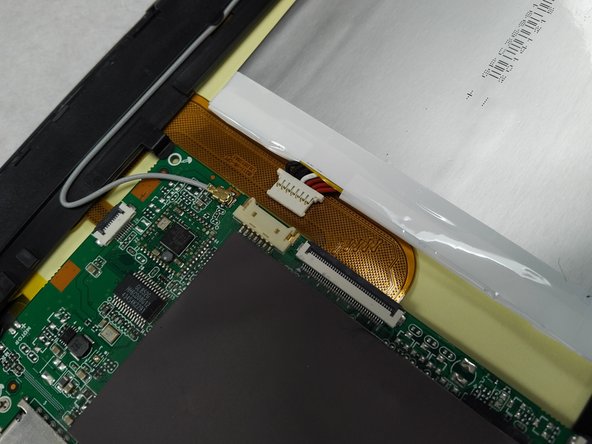
Using a small plastic opening tool; genteelly pull the connection off of the motherboard.
-
-
-
Peel back the yellow clear tape. Followed by the use of a plastic opening tool to release the ribbon connection.
-
-
-
Using tweezers genitally pull up on the volume button board to remove.
-




To reassemble your device, follow these instructions in reverse order.
To reassemble your device, follow these instructions in reverse order.
Cancelar: No complete esta guía.
Una persona más ha completado esta guía.



Equipo

Gateway Community College Team 1 BPC270 36301 Miembro de Gateway Community College Team 1 BPC270 36301
Community
4 Miembros
7 Guías creadas
