Introducción
The controller buttons of a Nintendo Family Computer (Famicom) are essential components responsible for player interaction and gameplay input. Over time, these buttons can become worn, sticky, or unresponsive due to frequent use, environmental factors, or aging materials. Replacing the controller buttons is a practical solution to restore the responsiveness and tactile feel of the Famicom's controllers, enhancing the overall gaming experience.
Qué necesitas
-
-
Use Phillips screwdriver to remove the the 6 9.3 mm screws that secure the rear case.
-
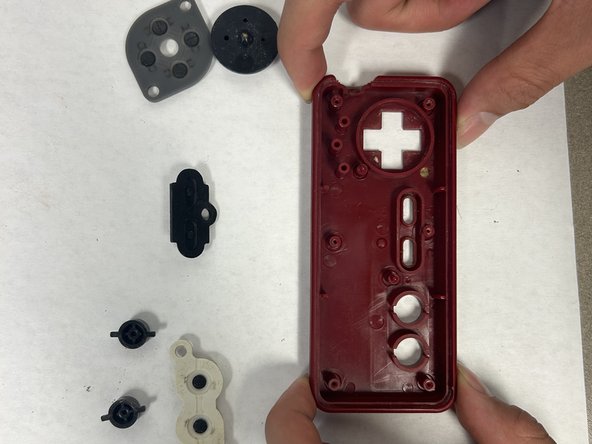
Remove the rear case.
-
-


To reassemble your device, follow these instructions in reverse order.


Equipo

IUPUI, Team 2-2, Harley Spring 2024 Miembro de IUPUI, Team 2-2, Harley Spring 2024
IUPUI-HARLEY-S24S2G2
Miembros de 4
6 Guías creadas
