
Leica Z2X Lens Cover Replacement

Kenny y
Última actualización: 28 de ene. de 2014
Vistas: 4.3 k
Ver estadísticas:
- Últimas 24 horas:
- 6
- Últimos 7 días:
- 38
- Últimos 30 días:
- 146
- Todo El Tiempo:
- 4,310
Comentarios: 1
1 comentario sobre los pasos.
Completado: 1 2
1 persona ha marcado esta guía como "completada". ¿Serás tú la próxima persona en hacerlo?
2 persona acaba de marcar esta guía como "completada". ¡Incluyéndote, excelente trabajo!
Favoritos: 1 2
1 persona ha marcado como "Favorita" y se ha suscrito a esta guía. ¿Serás tú la próxima persona en hacerlo?
2 personas marcaron como favorita (y se suscribieron) esta guía, ¡incluyéndote a ti!
Bordeador de Pasos
Esta guía tiene pasos innecesarios. Recórtalos para que sean más conciso!
Fotos de acción
Sé un héroe de acción! Esta guía necesita imágenes que demuestren mejor cómo llevar a cabo acciones específicas.
Pasos faltantes
¡Vaya! Parece que a esta guía le faltan uno o más pasos importantes.
Qué necesitas
Herramientas
-
-
-
Carefully unscrew the four Phillips #0 screws on the bottom of the camera.
 Pregunta a FixBot
-
-
-
Open the back door on the camera by pushing down on the door latch.
-
-
-
Apply pressure to the bottom plate and it will pop off.
-
From here, you can replace the bottom plate, or continue on to further steps.
-
-
-
-
-
Apply pressure until the piece you unscrewed in the last step pops off.
-
-
-
Unscrew the four screws on the back of this piece to the lower-left corner of the lens.
-
-
-
-
Removing the lens motor cover, you should be left with these four pieces.
-
-
-
Now that you've removed the bottom plate, you can pull apart the front and back covers.
-
Start with the front cover and, by applying pressure (perhaps a lot of pressure), snap off the front cover.
-
-
-
Next, the back cover.
-
Apply pressure to remove the back plate.
-
The best way to remove the back is to stick your thumbs on either side of the battery socket and separate from there.
-
-
-
Remove the four screws holding on the front panel surrounding the lens.
-
-
-
Remove the three gears under the panel you removed in the last step and the lens motor should be able to be removed.
-
-
-
-
Now that the lens motor has been removed, you can apply pressure to the back of the lens and push it out.
-
From here, locate the three screws near the front of the lens.
-
Unscrew these three screws.
-
-
-
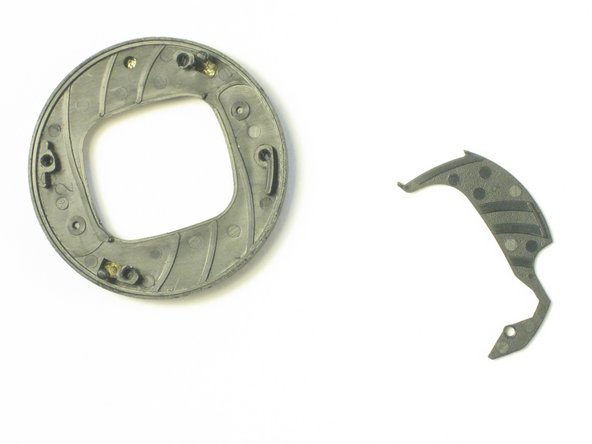
From here, you can pull out the small disk containing the lens cover.
-
Unscrew the four screws on the back and pull the two pieces of the disk apart.
-
-


To reassemble your device, follow these instructions in reverse order.
Cancelar: No complete esta guía.
Una persona más ha completado esta guía.

Equipo

Cal Poly, Team 18-19, Garner Spring 2011 Miembro de Cal Poly, Team 18-19, Garner Spring 2011
CPSU-GARNER-S11S18G19
Miembros de 4
60 Guías creadas
