Saltar al contenido principal

Envío gratis en pedidos nacionales de $75 o más

HP Pavilion x360 Convertible 14-dw1025nr Trackpad Replacement

Vistas: 1.1 k

Ver estadísticas:

Últimas 24 horas:
2
Últimos 7 días:
28
Últimos 30 días:
92
Todo El Tiempo:
1,107
Comentarios: 0

Nadie ha escrito comentarios en esta guía. ¿Quieres escribir el primero?

Ir a los comentarios de la guía
Completado: 0

Nadie ha marcado esta guía como "completada". ¿Quieres marcarla tú?

Favoritos: 0

Nadie ha marcado como "Favorita" ni se ha suscrito a esta guía. ¿Quieres hacerlo tú?

Tiempo Requerido: 20 Minuto
Dificultad: Fácil
HP Pavilion x360 Convertible 14-dw1025nr Trackpad Replacement

Introducción

Ir al paso 1 ↓

If the touchpad is not responding, learn how to access and remove the part with this guide. The trackpad controls the pointing on a laptop's display screen and can be replaced if it is not picking up your finger movements or downward pressure.

The tools used are the Phillips head screwdriver #0 and #1, the opening picks, tweezers, and the spudger.

This guide involves a number of moving parts, but the steps are easy to follow for someone inexperienced with computer repairs. Keep in mind, organizing the pieces removed allows for an easier reconstruction of the device.

Qué necesitas

Herramientas

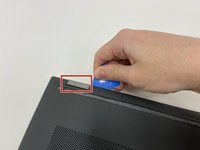
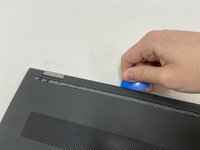
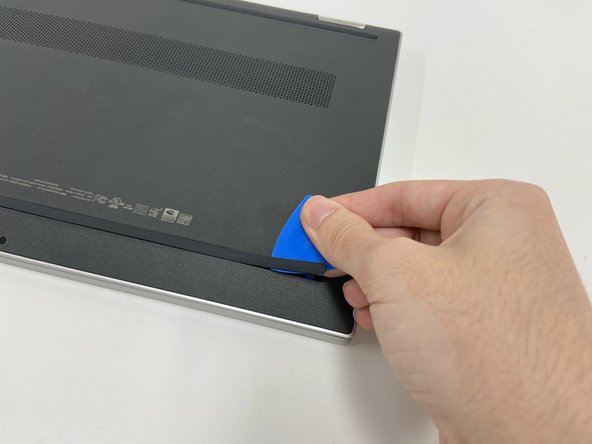
    1. HP Pavilion x360 Convertible 14-dw1025nr Trackpad Replacement, Battery: paso 1, imagen 1 de 3 HP Pavilion x360 Convertible 14-dw1025nr Trackpad Replacement, Battery: paso 1, imagen 2 de 3 HP Pavilion x360 Convertible 14-dw1025nr Trackpad Replacement, Battery: paso 1, imagen 3 de 3
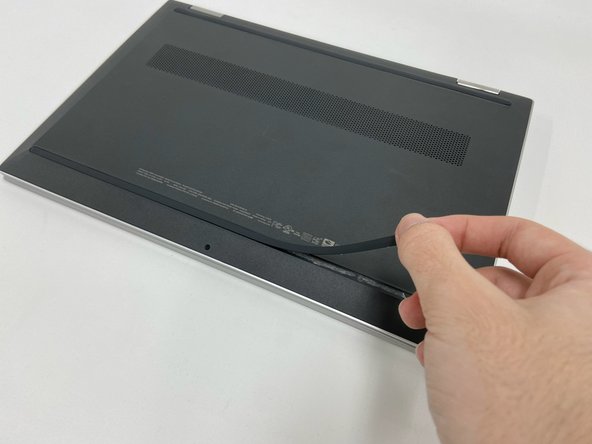
      • Turn off the device and set it upside down. Orient the hinges away from you.

      • Wedge the opening pick under the grip. Lift the end of the grip.

      • Pull the grip off all the way. Repeat for the second grip.

      Pregunta a FixBot

      Agregar Comentario

    2. HP Pavilion x360 Convertible 14-dw1025nr Trackpad Replacement: paso 2, imagen 1 de 3 HP Pavilion x360 Convertible 14-dw1025nr Trackpad Replacement: paso 2, imagen 2 de 3 HP Pavilion x360 Convertible 14-dw1025nr Trackpad Replacement: paso 2, imagen 3 de 3
      • Use a Phillips #0 screwdriver to remove the 3 mm screw from the center bottom.

      • Use a Phillips #1 screwdriver to remove the 6 mm screw from all four corners of the bottom cover.

      Pregunta a FixBot

      Agregar Comentario

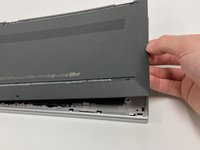
    3. HP Pavilion x360 Convertible 14-dw1025nr Trackpad Replacement: paso 3, imagen 1 de 3 HP Pavilion x360 Convertible 14-dw1025nr Trackpad Replacement: paso 3, imagen 2 de 3 HP Pavilion x360 Convertible 14-dw1025nr Trackpad Replacement: paso 3, imagen 3 de 3
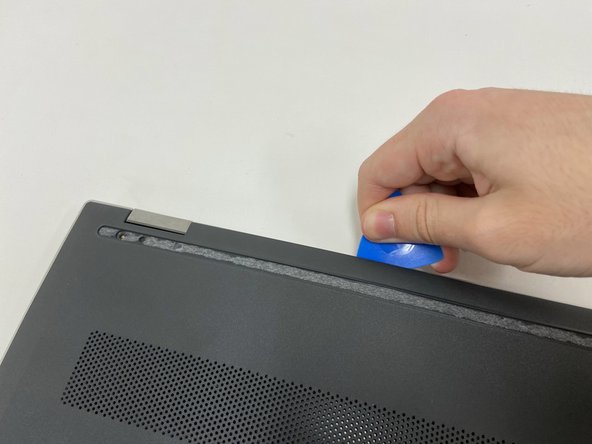
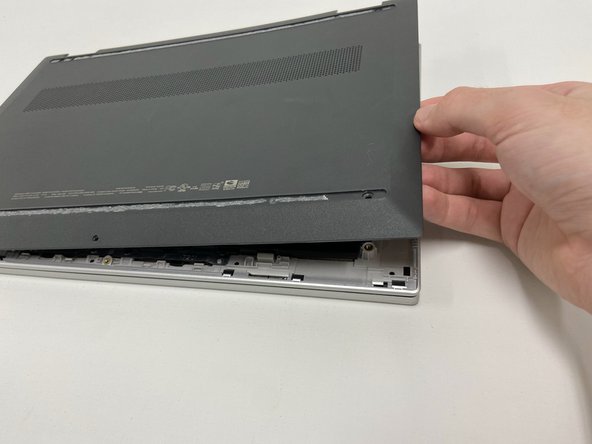
      • Use the opening pick to separate the back panel from the device.

      • Begin near the hinge and carefully follow the perimeter until you have taken the pick around all four sides.

      • The back panel will come loose once the pick has been around the whole edge of the device.

      • Lift the panel off.

      Pregunta a FixBot

      Agregar Comentario

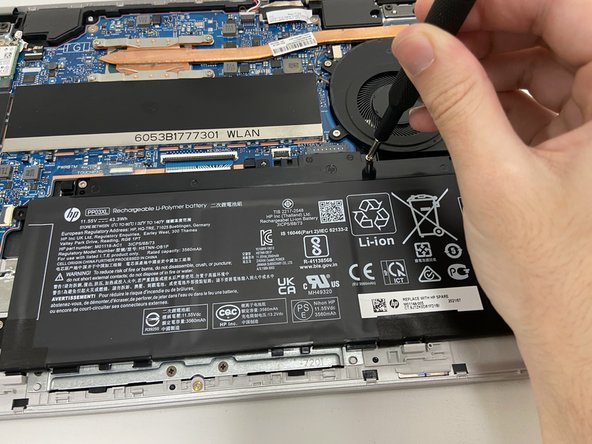
    4. HP Pavilion x360 Convertible 14-dw1025nr Trackpad Replacement: paso 4, imagen 1 de 2 HP Pavilion x360 Convertible 14-dw1025nr Trackpad Replacement: paso 4, imagen 2 de 2
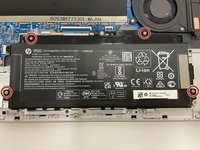
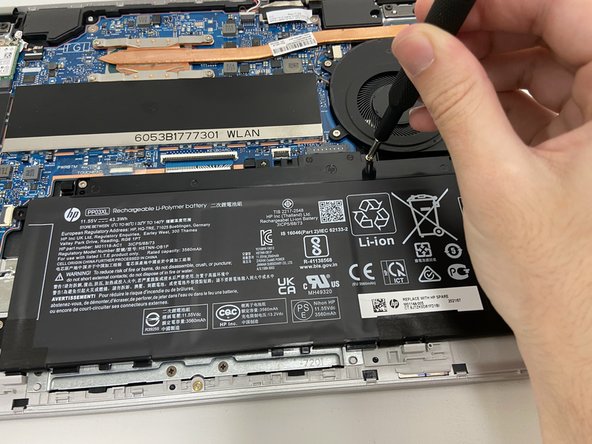
      • Use a Phillips #1 screwdriver to remove all four of the 4 mm screws that secure each corner of the battery.

      Pregunta a FixBot

      Agregar Comentario

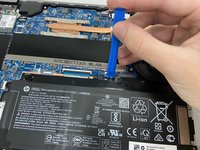
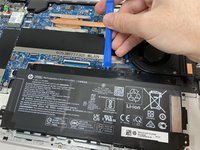
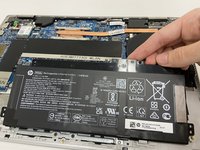
    5. HP Pavilion x360 Convertible 14-dw1025nr Trackpad Replacement: paso 5, imagen 1 de 3 HP Pavilion x360 Convertible 14-dw1025nr Trackpad Replacement: paso 5, imagen 2 de 3 HP Pavilion x360 Convertible 14-dw1025nr Trackpad Replacement: paso 5, imagen 3 de 3
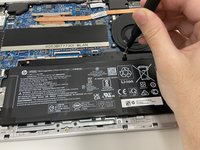
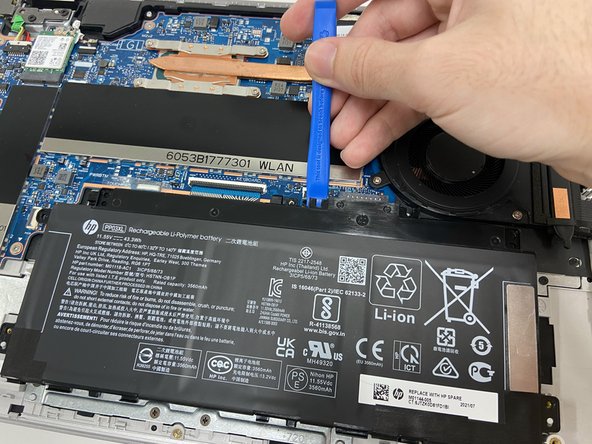
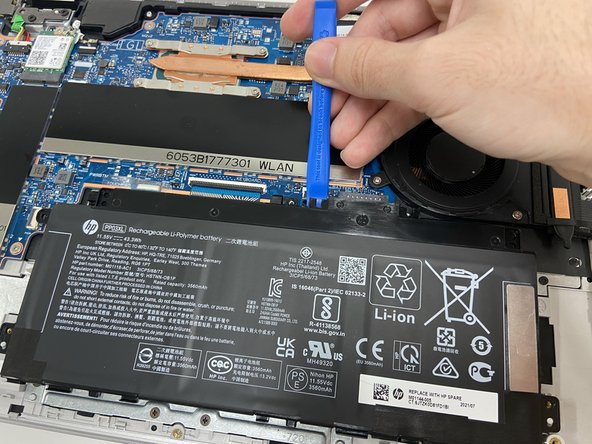
      • Use the opening tool near the connector to gently apply pressure and lift the battery away from the device.

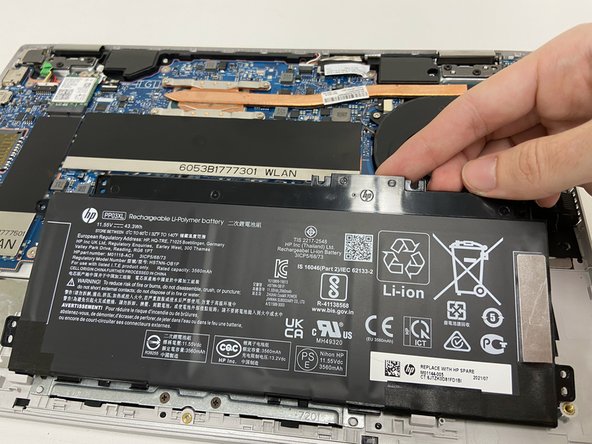
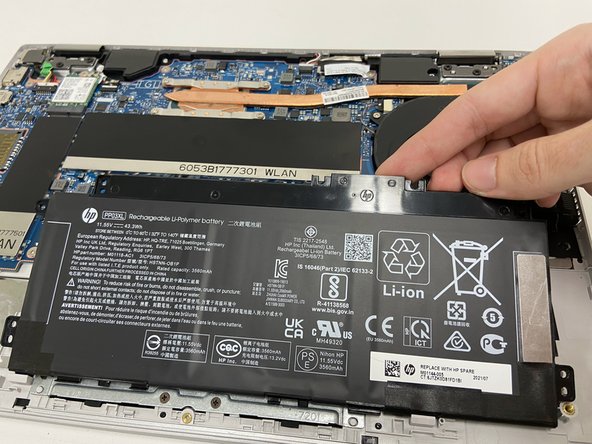
      • Once loose, lift the battery from the connector side to separate it from the device.

      • The stabilizer for the battery (small black part held in by the top left screw) may come loose. Leave the part in its original position.

      Pregunta a FixBot

      Agregar Comentario

    1. HP Pavilion x360 Convertible 14-dw1025nr Trackpad Replacement, Trackpad: paso 6, imagen 1 de 3 HP Pavilion x360 Convertible 14-dw1025nr Trackpad Replacement, Trackpad: paso 6, imagen 2 de 3 HP Pavilion x360 Convertible 14-dw1025nr Trackpad Replacement, Trackpad: paso 6, imagen 3 de 3
      • Turn off the device and set it upside down. Orient the hinges away from you.

      • Wedge the opening pick under the grip. Lift the end of the grip.

      • Pull the grip off all the way. Repeat for the second grip.

      Pregunta a FixBot

      Agregar Comentario

    2. HP Pavilion x360 Convertible 14-dw1025nr Trackpad Replacement: paso 7, imagen 1 de 3 HP Pavilion x360 Convertible 14-dw1025nr Trackpad Replacement: paso 7, imagen 2 de 3 HP Pavilion x360 Convertible 14-dw1025nr Trackpad Replacement: paso 7, imagen 3 de 3
      • Use PH0 to remove the 3mm screw from the center bottom.

      • Use PH1 to remove the 6mm screw from all four corners.

      Pregunta a FixBot

      Agregar Comentario

    3. HP Pavilion x360 Convertible 14-dw1025nr Trackpad Replacement: paso 8, imagen 1 de 3 HP Pavilion x360 Convertible 14-dw1025nr Trackpad Replacement: paso 8, imagen 2 de 3 HP Pavilion x360 Convertible 14-dw1025nr Trackpad Replacement: paso 8, imagen 3 de 3
      • Use the opening pick to separate the back panel from the device.

      • Begin near the hinge and carefully follow the perimeter until you have taken the pick around all four sides.

      • The back panel will come loose once the pick has been around the whole edge of the device.

      • Lift the panel off.

      Pregunta a FixBot

      Agregar Comentario

    4. HP Pavilion x360 Convertible 14-dw1025nr Trackpad Replacement: paso 9, imagen 1 de 2 HP Pavilion x360 Convertible 14-dw1025nr Trackpad Replacement: paso 9, imagen 2 de 2
      • Use PH1 to remove all four of the 4mm screws on each corner of the battery.

      Pregunta a FixBot

      Agregar Comentario

    5. HP Pavilion x360 Convertible 14-dw1025nr Trackpad Replacement: paso 10, imagen 1 de 3 HP Pavilion x360 Convertible 14-dw1025nr Trackpad Replacement: paso 10, imagen 2 de 3 HP Pavilion x360 Convertible 14-dw1025nr Trackpad Replacement: paso 10, imagen 3 de 3
      • Use the opening tool near the connector to gently apply pressure and lift the battery away from the device.

      • Once loose, lift the battery from the connector side to separate it from the device.

      • The stabilizer for the battery (small black part held in by the top left screw) may come loose. Leave the part in its original position.

      Pregunta a FixBot

      Agregar Comentario

    6. HP Pavilion x360 Convertible 14-dw1025nr Trackpad Replacement: paso 11, imagen 1 de 3 HP Pavilion x360 Convertible 14-dw1025nr Trackpad Replacement: paso 11, imagen 2 de 3 HP Pavilion x360 Convertible 14-dw1025nr Trackpad Replacement: paso 11, imagen 3 de 3
      Herramienta utilizada en este paso:
      Tweezers
      $3.99
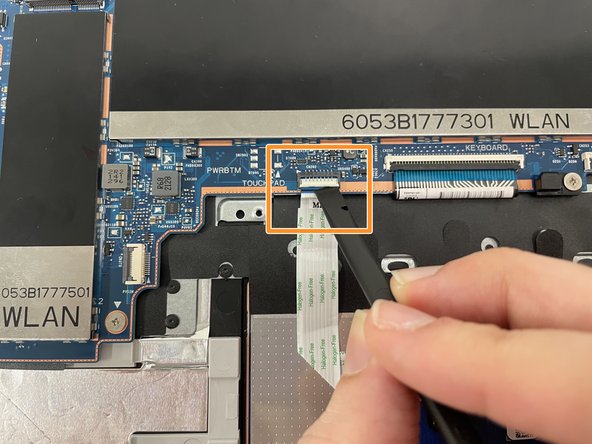
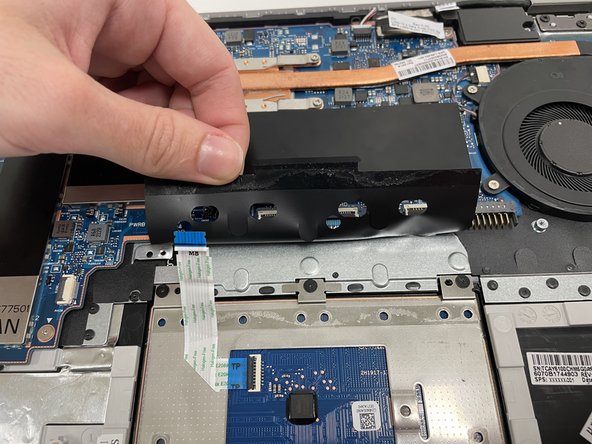
      • To unplug the trackpad, remove both stickers with angled tweezers.

      • Lift the connector clasp with spudger.

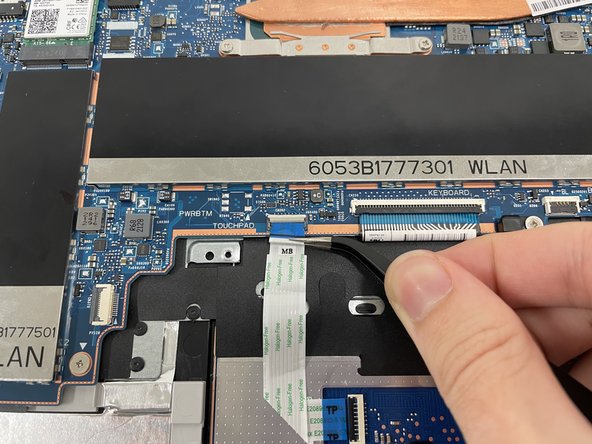
      • Use angled tweezers to lightly grip the ribbon cable and pull it out to lift cable off of black cover

      Pregunta a FixBot

      Agregar Comentario

    7. HP Pavilion x360 Convertible 14-dw1025nr Trackpad Replacement: paso 12, imagen 1 de 2 HP Pavilion x360 Convertible 14-dw1025nr Trackpad Replacement: paso 12, imagen 2 de 2
      • Using the angled tweezers, grip one corner of the black cover and lift.

      Pregunta a FixBot

      Agregar Comentario

    8. HP Pavilion x360 Convertible 14-dw1025nr Trackpad Replacement: paso 13, imagen 1 de 1
      • Hold back the black cover with one hand.

      • Use the PH0 screwdriver to remove three black screws (2.5mm) located at the top of the trackpad.

      Pregunta a FixBot

      Agregar Comentario

    9. HP Pavilion x360 Convertible 14-dw1025nr Trackpad Replacement: paso 14, imagen 1 de 2 HP Pavilion x360 Convertible 14-dw1025nr Trackpad Replacement: paso 14, imagen 2 de 2
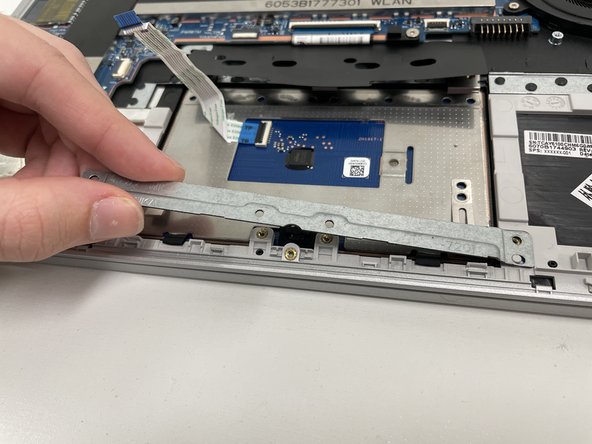
      • Using the PH1 screwdriver, remove four screws (3mm) at the bottom of the trackpad.

      • Lift the metal cover off.

      Pregunta a FixBot

      Agregar Comentario

    10. HP Pavilion x360 Convertible 14-dw1025nr Trackpad Replacement: paso 15, imagen 1 de 3 HP Pavilion x360 Convertible 14-dw1025nr Trackpad Replacement: paso 15, imagen 2 de 3 HP Pavilion x360 Convertible 14-dw1025nr Trackpad Replacement: paso 15, imagen 3 de 3
      • Hold back the black cover.

      • Use the angled tweezers to grip the metal screw tab located in the middle of the trackpad.

      • Lift up and away to remove the trackpad part.

      Pregunta a FixBot

      Agregar Comentario

Conclusión

To reassemble your device, follow these instructions in reverse order.

Cancelar: No complete esta guía.

Autor

con

Amber Norton

Miembro Desde 09/14/22

661 Reputación

4 Guías creadas

0Guía Comentarios

Agregar Comentario

Ver Estadísticas:

Ultimas 24 horas: 2

Ultimos 7 días: 28

Ultimos 30 días: 92

Todo El Tiempo: 1,107