Saltar al contenido principal
Únete a la Comunidad de Reparación - Crear Cuenta

Canon Powershot S200 Camera lens Replacement

Vistas: 2.6 k

Ver estadísticas:

Últimas 24 horas:
4
Últimos 7 días:
30
Últimos 30 días:
130
Todo El Tiempo:
2,602
Comentarios: 1

1comentario del guía.

Ir a los comentarios de la guía
Completed: 0

Nadie ha marcado esta guía como "completada". ¿Quieres marcarla tú?

Favorites: 2

2 personas han marcado como "Favorita" y se han suscrito a esta guía. ¿Serás tú la próxima persona en hacerlo?

Tiempo Requerido: 15 - 20 minutos
Dificultad: Moderado
Canon Powershot S200 Camera lens Replacement

Introducción

Ir al paso 1 ↓

The lens is used for capturing specific scenes and to feed these scenes into the camera.

Qué necesitas

Herramientas

    1. Canon Powershot S200 Camera lens Replacement, Battery: paso 1, imagen 1 de 2 Canon Powershot S200 Camera lens Replacement, Battery: paso 1, imagen 2 de 2
      • Slide the grey latch to open the battery compartment.

      Pregunta a FixBot

      Agregar Comentario

    2. Canon Powershot S200 Camera lens Replacement: paso 2, imagen 1 de 2 Canon Powershot S200 Camera lens Replacement: paso 2, imagen 2 de 2
      • Push and slide the orange retaining clip to the right to remove the battery.

      Pregunta a FixBot

      Agregar Comentario

    3. Canon Powershot S200 Camera lens Replacement: paso 3, imagen 1 de 1
      • Remove battery from the camera.

      Pregunta a FixBot

      Agregar Comentario

    1. Canon Powershot S200 Camera lens Replacement, Motherboard: paso 4, imagen 1 de 1
      • Remove the lanyard.

      Pregunta a FixBot

      Agregar Comentario

    2. Canon Powershot S200 Camera lens Replacement: paso 5, imagen 1 de 1
      • Position the camera so that the bottom is facing up.

      • Remove the two 2.3mm screws beneath the name plate.

      • Remove the two 2.8 mm screws surrounding the threaded tripod mount.

      Pregunta a FixBot

      Agregar Comentario

    3. Canon Powershot S200 Camera lens Replacement: paso 6, imagen 1 de 1
      • Remove the 3.8mm screw from the back face of the camera.

      Pregunta a FixBot

      Agregar Comentario

    4. Canon Powershot S200 Camera lens Replacement: paso 7, imagen 1 de 1
      • Remove the two 2.3mm screws from the right face of the camera.

      Pregunta a FixBot

      Agregar Comentario

    5. Canon Powershot S200 Camera lens Replacement: paso 8, imagen 1 de 1
      • Remove the two outer 3.2mm screws from the left side of the camera

      • Remove the two inner 3.7mm screws from the left side of the camera.

      Pregunta a FixBot

      Agregar Comentario

    6. Canon Powershot S200 Camera lens Replacement: paso 9, imagen 1 de 1
      • Pull the back face panel away from the front end of the body. This may take some wiggling and force.

      Pregunta a FixBot

      Agregar Comentario

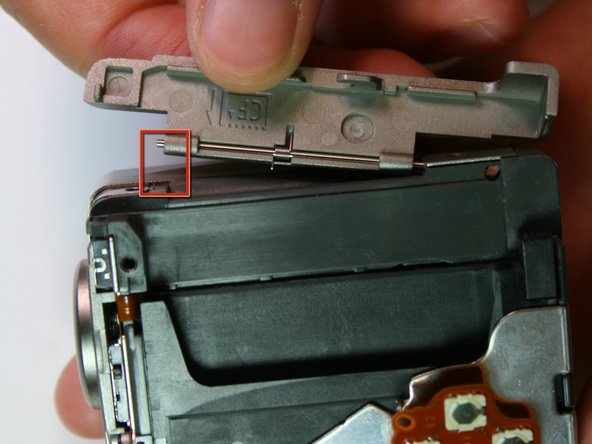
    7. Canon Powershot S200 Camera lens Replacement: paso 10, imagen 1 de 2 Canon Powershot S200 Camera lens Replacement: paso 10, imagen 2 de 2
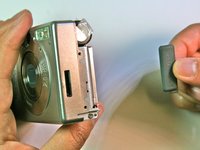
      • Remove the CF card door from the left side of the camera body.

      Pregunta a FixBot

      Agregar Comentario

    8. Canon Powershot S200 Camera lens Replacement: paso 11, imagen 1 de 2 Canon Powershot S200 Camera lens Replacement: paso 11, imagen 2 de 2
      • Slide the rubber digital a/v cap out of place on the front plate.

      Pregunta a FixBot

      Agregar Comentario

    9. Canon Powershot S200 Camera lens Replacement: paso 12, imagen 1 de 1
      • Remove the front face by sliding it off.

      Pregunta a FixBot

      Agregar Comentario

    10. Canon Powershot S200 Camera lens Replacement: paso 13, imagen 1 de 1
      • Remove the rubber seal that covers the right side of the viewfinder.

      Pregunta a FixBot

      Agregar Comentario

    11. Canon Powershot S200 Camera lens Replacement: paso 14, imagen 1 de 1
      • Remove the two 3.9mm screws that hold the laminated copper sheet.

      Pregunta a FixBot

      Agregar Comentario

    12. Canon Powershot S200 Camera lens Replacement: paso 15, imagen 1 de 2 Canon Powershot S200 Camera lens Replacement: paso 15, imagen 2 de 2
      • Remove the wire connections that connect along the bottom of the motherboard.

      Pregunta a FixBot

      Agregar Comentario

    13. Canon Powershot S200 Camera lens Replacement: paso 16, imagen 1 de 1
      • Remove the single 3.8mm screw that is on the motherboard.

      Pregunta a FixBot

      Agregar Comentario

    14. Canon Powershot S200 Camera lens Replacement: paso 17, imagen 1 de 1
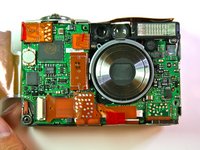
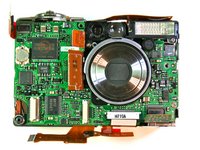
      • Remove the motherboard from the main frame of the camera body.

      Pregunta a FixBot

      Agregar Comentario

    1. Canon Powershot S200 Camera lens Replacement, Screen: paso 18, imagen 1 de 1
      • After completing the removal of the motherboard, remove the tripod mounting screws (3.4mm) on the left side

      Pregunta a FixBot

      Agregar Comentario

    2. Canon Powershot S200 Camera lens Replacement: paso 19, imagen 1 de 1
      • Carefully pry the left side of the housing plate from the bottom of the tripod mounting plate, releasing it from the two alignment pegs next to the screws

      Pregunta a FixBot

      Agregar Comentario

    3. Canon Powershot S200 Camera lens Replacement: paso 20, imagen 1 de 1
      • Lift the left side of the tripod mounting plate towards you, lift free the mounting plate from the rest of the assembly

      • Be careful because there are still wire connections attached to the mounting plate which you don't want to remove

      Pregunta a FixBot

      Agregar Comentario

    4. Canon Powershot S200 Camera lens Replacement: paso 21, imagen 1 de 1
      • Remove the 2.1mm screws from the bottom and top of the screen connecting it to the housing plate

      Pregunta a FixBot

      Agregar Comentario

    5. Canon Powershot S200 Camera lens Replacement: paso 22, imagen 1 de 1
      • Unsolder the four points at the top of the screen with a soldering iron

      Pregunta a FixBot

      Agregar Comentario

      • You do not need to unsolder the screen to get to the lens, but follow the rest of the steps to free the screen from the housing plate.

      Pregunta a FixBot

      Agregar Comentario

    1. Canon Powershot S200 Camera lens Replacement: paso 24, imagen 1 de 1
      • Remove the card-reader shield by removing the screw at the top of the shield.

      Pregunta a FixBot

      Agregar Comentario

    2. Canon Powershot S200 Camera lens Replacement: paso 25, imagen 1 de 2 Canon Powershot S200 Camera lens Replacement: paso 25, imagen 2 de 2
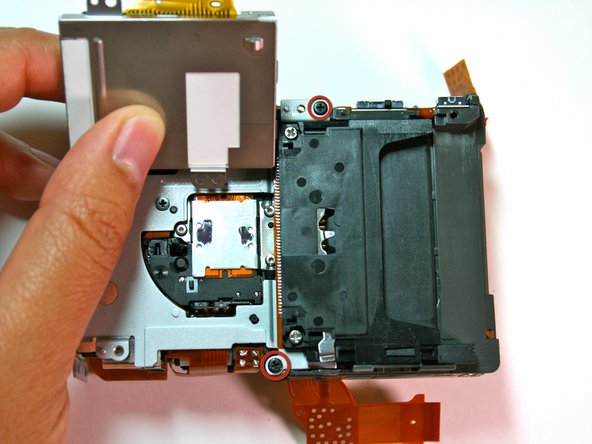
      • Remove the 2 black screws that attach the battery box to the housing plate.

      • The second picture shows the battery box detached from the housing plate.

      Pregunta a FixBot

      Agregar Comentario

    3. Canon Powershot S200 Camera lens Replacement: paso 26, imagen 1 de 1
      • Remove the three (3.1mm) black screws that were behind the screen and battery box.

      Pregunta a FixBot

      Agregar Comentario

    4. Canon Powershot S200 Camera lens Replacement: paso 27, imagen 1 de 2 Canon Powershot S200 Camera lens Replacement: paso 27, imagen 2 de 2
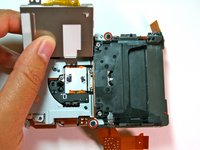
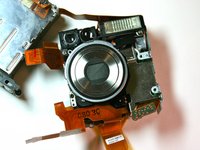
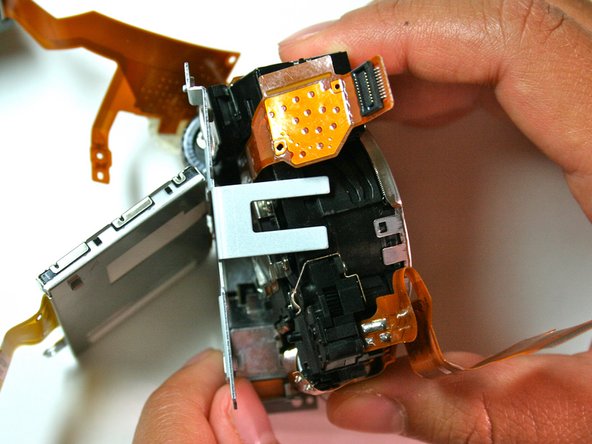
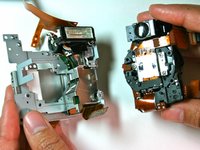
      • Carefully remove the lens.

      • Remove the bottom side of the lens first before the viewfinder side.

      • Be careful of wires and delicate parts.

      Pregunta a FixBot

      Agregar Comentario

Conclusión

To reassemble your device, follow these instructions in reverse order.

Cancelar: No complete esta guía.

Joseph Melo

Miembro Desde 04/07/11

123 Reputación

1 Guía escrita

Equipo

Cal Poly, Team 20-70, Walters Spring 2011 Miembro de Cal Poly, Team 20-70, Walters Spring 2011

CPSU-WALTERS-S11S20G70

Miembros de 5

48 Guías creadas

1Guía Comentario

Camera in the pictures is not Canon Powershot S200

jkovalai - Contestar Compartir

Agregar Comentario

Ver Estadísticas:

Ultimas 24 horas: 4

Ultimos 7 días: 30

Ultimos 30 días: 130

Todo El Tiempo: 2,602