Saltar al contenido principal
Únete a la Comunidad de Reparación - Crear Cuenta

Canon PIXMA iP3600 Printhead Replacement

    1. Canon PIXMA iP3600 Printhead Replacement, Ink Cartridges: paso 1, imagen 1 de 1
      • Press the power button to turn on the printer.

      Pregunta a FixBot

      Agregar Comentario

    2. Canon PIXMA iP3600 Printhead Replacement: paso 2, imagen 1 de 1
      • Pull down the front output tray cover.

      Pregunta a FixBot

      Agregar Comentario

    3. Canon PIXMA iP3600 Printhead Replacement: paso 3, imagen 1 de 1
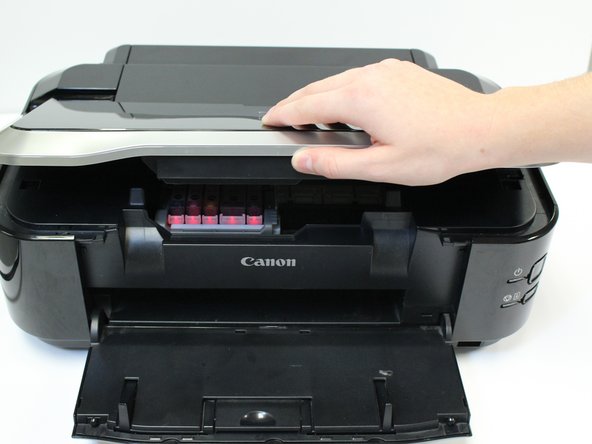
      • Lift the printer lid.

      Pregunta a FixBot

      Agregar Comentario

    4. Canon PIXMA iP3600 Printhead Replacement: paso 4, imagen 1 de 1
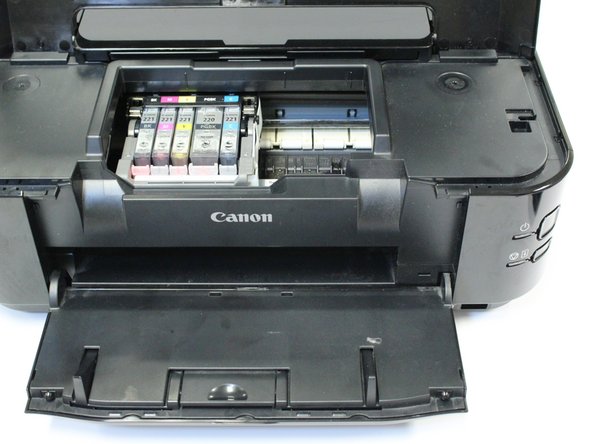
      • Allow the belt, containing ink cartridges, to adjust and center so that the ink cartridges are visible.

      Pregunta a FixBot

      Agregar Comentario

    5. Canon PIXMA iP3600 Printhead Replacement: paso 5, imagen 1 de 2 Canon PIXMA iP3600 Printhead Replacement: paso 5, imagen 2 de 2
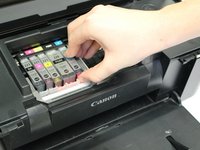
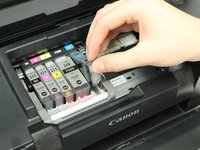
      • Push in the white clip to release the ink cartridge from the printhead.

      • Lift the ink cartridge from the printhead.

      • Repeat this process for the remaining ink cartridges.

      • You have successfully removed all ink cartridges.

      Pregunta a FixBot

      Agregar Comentario

    1. Canon PIXMA iP3600 Printhead Replacement, Printhead: paso 6, imagen 1 de 1
      • After removing all ink cartridges, lift the printhead lock lever.

      Pregunta a FixBot

      Agregar Comentario

    2. Canon PIXMA iP3600 Printhead Replacement: paso 7, imagen 1 de 1
      • Pull up and lift out the black piece that previously held the ink cartridges. This is the printhead.

      Pregunta a FixBot

      Agregar Comentario

    3. Canon PIXMA iP3600 Printhead Replacement: paso 8, imagen 1 de 1
      • You have successfully removed your printhead.

      Pregunta a FixBot

      Agregar Comentario

Conclusión

To reassemble your device, follow these instructions in reverse order.

Cancelar: No complete esta guía.

6 personas más completaron esta guía.

Caitlyn

Miembro Desde 10/07/14

1,223 Reputación

4 Guías creadas

Equipo

USF Tampa, Team 1-3, Leahy Fall 2014 Miembro de USF Tampa, Team 1-3, Leahy Fall 2014

USFT-LEAHY-F14S1G3

Miembros de 3

36 Guías creadas

1Guía Comentario

fairly helpful, especially the photo's. but I need advice on how to clean the printhead before trying to replace it,

a1halber - Contestar Compartir

Agregar Comentario

Ver Estadísticas:

Ultimas 24 horas: 5

Ultimos 7 días: 14

Ultimos 30 días: 76

Todo El Tiempo: 9,557