
Apple AirPort Extreme Model A1034 Motherboard Replacement

Última actualización: 6 de ene. de 2015
Vistas: 6.8 k
Ver estadísticas:
- Últimas 24 horas:
- 2
- Últimos 7 días:
- 17
- Últimos 30 días:
- 87
- Todo El Tiempo:
- 6,793
Comentarios: 0
Nadie ha escrito comentarios en esta guía. ¿Quieres escribir el primero?
Ir a los comentarios de la guíaCompletado: 2 3
2 personas han marcado esta guía como "completada". ¿Serás tú la próxima persona en hacerlo?
3 persona acaba de marcar esta guía como "completada". ¡Incluyéndote, excelente trabajo!
Favoritos: 3 4
3 personas han marcado como "Favorita" y se han suscrito a esta guía. ¿Serás tú la próxima persona en hacerlo?
4 personas marcaron como favorita (y se suscribieron) esta guía, ¡incluyéndote a ti!
Guía Destacada
Esta guía ha sido valorada como excepcionalmente genial por el personal de iFixit.
Fotos de acción
Sé un héroe de acción! Esta guía necesita imágenes que demuestren mejor cómo llevar a cabo acciones específicas.
Mejor introducción
Mejora esta guía completando o revisando su introducción.
Qué necesitas
Herramientas


-
-
-
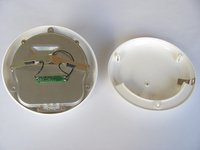
Remove the three 14.3mm T7 Torx screws from the bottom of AirPort.
 Pregunta a FixBot
-
-
-
Remove the 5.1mm Phillips screw from the bottom of the AirPort. This screw is located under the identification sticker. You will have to remove the sticker or make a hole to remove it.
-
-
-
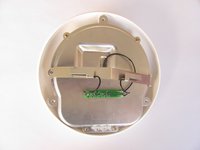
Lift the bottom and top casing straight apart and then lift metal casing straight up from the bottom plastic casing.
-
-
-
-
Unplug the black connector on the top of the metal casing by gently pulling horizontally.
-
-
-
-
-
Remove the four 4.3mm phillips screws from the bottom of the metal casing.
-
-
-
Lift and separate the top and bottom of the metal casing. You will now expose the motherboard and the AirPort card.
-
To remove the AirPort card, gently pull the plastic tab horizontally.
-
-
-
Locate and remove the three 5.0mm phillips screws from the heat sink.
-
Lift to remove the heat sink from the motherboard.
-
-
-
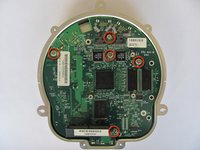
Locate and remove the five 7.5mm phillips screws from the motherboard.
-
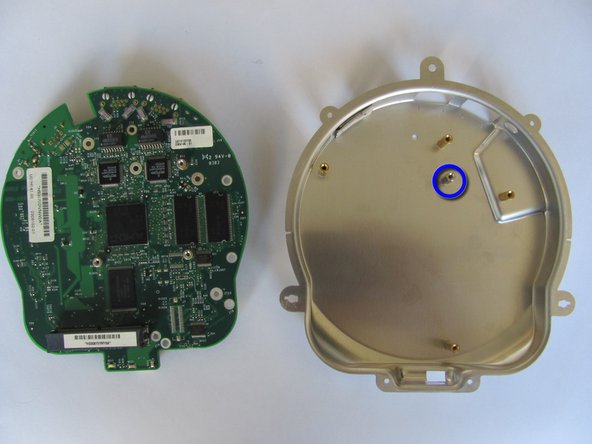
Lift and separate the motherboard from the bottom metal casing.
-
-




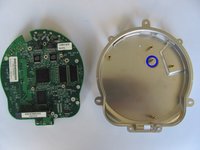
To reassemble your device, follow these instructions in reverse order.
Cancelar: No complete esta guía.
2 personas más completaron esta guía.

Equipo

Cal Poly, Team 17-15, Regan Fall 2011 Miembro de Cal Poly, Team 17-15, Regan Fall 2011
CPSU-REGAN-F11S17G15
Miembros de 3
84 Guías creadas
