Saltar al contenido principal
Únete a la Comunidad de Reparación - Crear Cuenta

Amazon Fire TV Power Cord Port Replacement

Qué necesitas

  1. Amazon Fire TV Power Cord Port Replacement, Motherboard: paso 1, imagen 1 de 3 Amazon Fire TV Power Cord Port Replacement, Motherboard: paso 1, imagen 2 de 3 Amazon Fire TV Power Cord Port Replacement, Motherboard: paso 1, imagen 3 de 3
    • Place the plastic opening tool in the space between the rubber and the plastic case of the device.

    • Apply pressure by pushing upward on the case.

    • Separate the bottom square rubber piece from the case using the plastic opening tool until all clips are detached.

    Pregunta a FixBot

    Agregar Comentario

  2. Amazon Fire TV Power Cord Port Replacement: paso 2, imagen 1 de 2 Amazon Fire TV Power Cord Port Replacement: paso 2, imagen 2 de 2
    • Locate the ten J#00 Phillips screws and remove them.

    Pregunta a FixBot

    Agregar Comentario

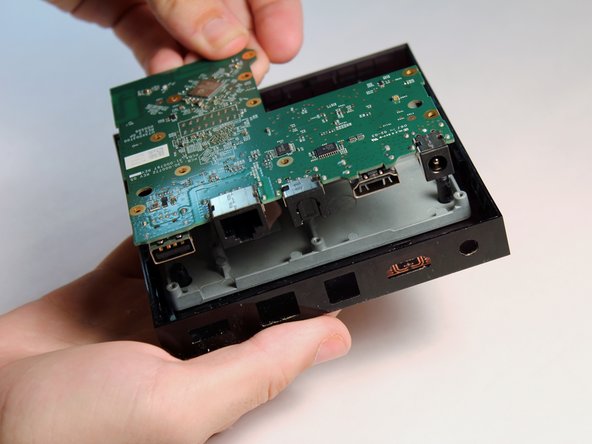
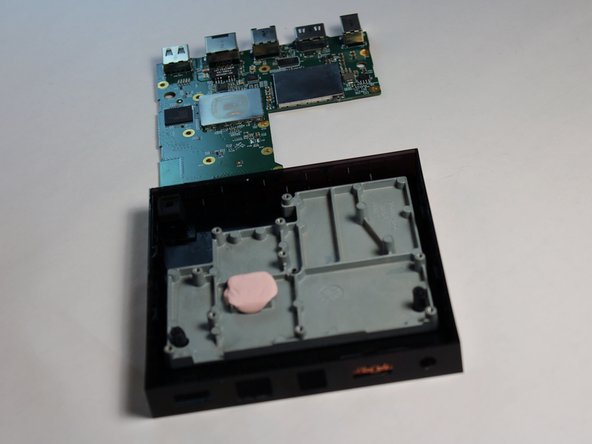
  3. Amazon Fire TV Power Cord Port Replacement: paso 3, imagen 1 de 3 Amazon Fire TV Power Cord Port Replacement: paso 3, imagen 2 de 3 Amazon Fire TV Power Cord Port Replacement: paso 3, imagen 3 de 3
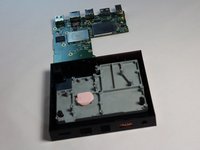
    • Place your finger on the short edge of the motherboard and lift it to separate it from the plastic case.

    Pregunta a FixBot

    Agregar Comentario

  4. Amazon Fire TV Power Cord Port Replacement, Power Cord Port: paso 4, imagen 1 de 3 Amazon Fire TV Power Cord Port Replacement, Power Cord Port: paso 4, imagen 2 de 3 Amazon Fire TV Power Cord Port Replacement, Power Cord Port: paso 4, imagen 3 de 3
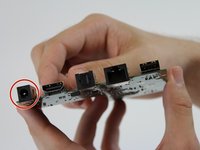
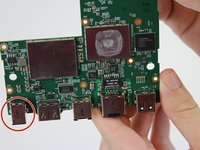
    • With the mother board back facing you locate the power cord port found on the far left end.

    Pregunta a FixBot

    Agregar Comentario

  5. Amazon Fire TV Power Cord Port Replacement: paso 5, imagen 1 de 3 Amazon Fire TV Power Cord Port Replacement: paso 5, imagen 2 de 3 Amazon Fire TV Power Cord Port Replacement: paso 5, imagen 3 de 3
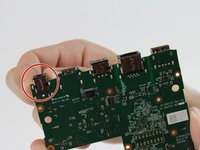
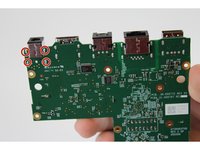
    • Locate the four soldering joints for the power cord port found on the top side of the mother board.

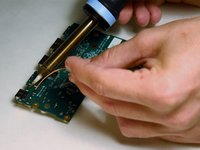
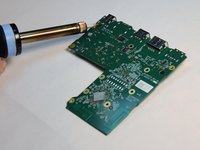
    • Desolder the joints of the power cord port to release it from the motherboard.

    • Place the new power cord port into its original location and solder its joints.

    • Use the iFixit soldering and desoldering guide.

    Pregunta a FixBot

    Agregar Comentario

Conclusión

To reassemble your device, follow these instructions in reverse order.

Cancelar: No complete esta guía.

6 personas más completaron esta guía.

jeffrey555

Miembro Desde 09/01/15

463 Reputación

2 Guías creadas

Equipo

USF Tampa, Team 16-3, Wollert Fall 2015 Miembro de USF Tampa, Team 16-3, Wollert Fall 2015

USFT-WOLLERT-F15S16G3

Miembros de 4

16 Guías creadas

2Guía Comentarios

Aonde compro essa fonte ? wagnerj957@gmail.com

wagnerjr1977 - Contestar Compartir

Ola moro no Brasil minha fonte queimou aonde compro outra?

wagnerjr1977 - Contestar Compartir

Agregar Comentario

Ver Estadísticas:

Ultimas 24 horas: 3

Ultimos 7 días: 13

Ultimos 30 días: 51

Todo El Tiempo: 3,594