Saltar al contenido principal

Amazon Fire Max 11 Micro SD Card Replacement

Qué necesitas

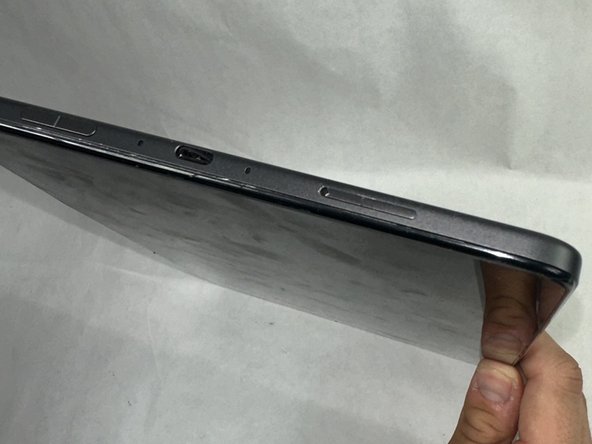
  1. Amazon Fire Max 11 Micro SD Card Replacement, Micro SD Card: paso 1, imagen 1 de 1
    • Power off the device.

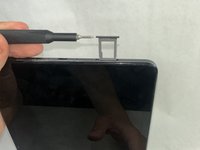
  2. Amazon Fire Max 11 Micro SD Card Replacement: paso 2, imagen 1 de 1
    • Press a SIM card tray pin (or a paper clip if you do not have the pin) into the hole in the side of the SIM card tray to eject the tray.

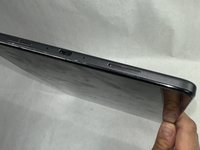
  3. Amazon Fire Max 11 Micro SD Card Replacement: paso 3, imagen 1 de 2 Amazon Fire Max 11 Micro SD Card Replacement: paso 3, imagen 2 de 2
    • Remove the existing SIM card from the device.

    • Place the new SIM card in the slot of the SIM card tray in the direction indicated on the card.

    • Close the SIM card tray.

Conclusión

To reassemble your device, follow these instructions in reverse order. Take your e-waste to an R2 or e-Stewards certified recycler.

Anthony Martins

Miembro Desde 03/18/24

522 Reputación

4 Guías creadas

Equipo

UMass Dartmouth, Team 1-3, Konn Spring 2024 Miembro de UMass Dartmouth, Team 1-3, Konn Spring 2024

UMASSD-KONN-S24S1G3

Miembros de 4

4 Guías creadas

0Guía Comentarios

Agregar Comentario

Ver Estadísticas:

Ultimas 24 horas: 1

Ultimos 7 días: 9

Ultimos 30 días: 50

Todo El Tiempo: 770