Introducción
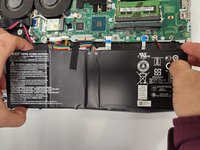
Usa esta guía para reemplazar la batería en el portátil Acer Nitro 5 AN515-53-52FA.
[BR]
Antes de hacer esta guía, asegúrese de que no hay energía externa conectada y que no hay nada encendido. Esta batería de 4 celdas es la fuente de alimentación, sin ella no habría forma de hacer funcionar la computadora portátil. Con esta guía podrá reemplazar la batería por una nueva.
Si su batería está muriendo a un ritmo alarmante de lo normal, esto es una gran indicación de que tendrá que reemplazarlo. Si hay alguna protuberancia en la batería, quítela inmediatamente/seguramente y envíela a un lugar desechable de confianza.
Qué necesitas
-
-
Dale la vuelta al portátil para que la parte inferior esté mirando hacia arriba.
-
-


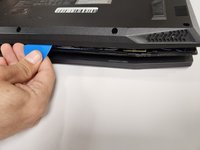
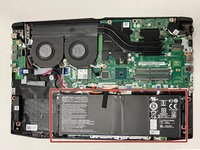


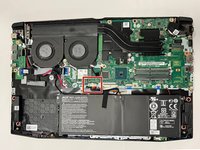
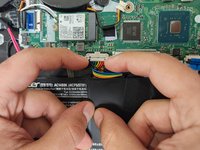


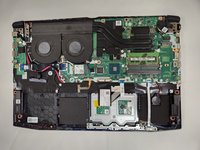
Para volver a montar su dispositivo, siga estas instrucciones en orden inverso.
Cancelar: No complete esta guía.
3 personas más completaron esta guía.
Un agradecimiento especial a estos traductores:
100%

¡ Nestor Solorio nos está ayudando a reparar el mundo! ¿Quieres contribuir?
Empezar a traducir ›



Equipo

Gateway, Team 1-3, Pee Fall 2022 Miembro de Gateway, Team 1-3, Pee Fall 2022
GCC-PEE-F22S1G3
Miembros de 4
9 Guías creadas
6Guía Comentarios
Do I have to use other material to put the bottom case back on or is it easy to do by hand?
When I was closing it up I just put it over the components and got the screws back in and it was working fine
Can I use a Jimmy instead of the opening picks?
If you're talking about the iFixIt Jimmy then I should say to be careful to not damage anything inside
I used a small standard screwdriver to "CAREFULL" separate the back plate. Suggest you have a can of air to clean the dust and crumbs off the motherboard
